The Wildlife Gallery
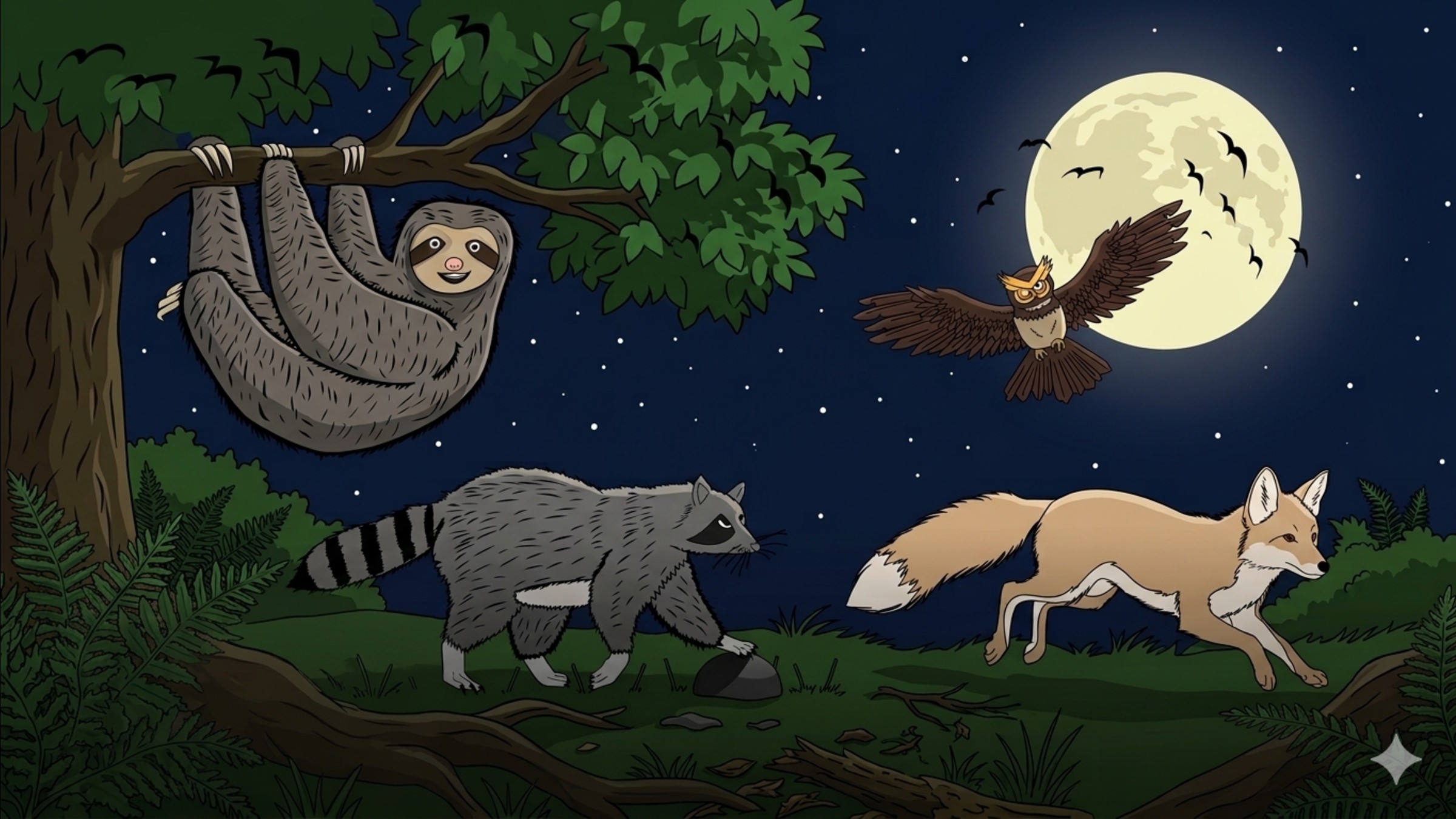
The Wildlife Gallery is a website I made to showcase original digital illustrations of animals. The main idea is to use drawings to help people learn about wildlife in a way that is easy to understand and nice to look at.
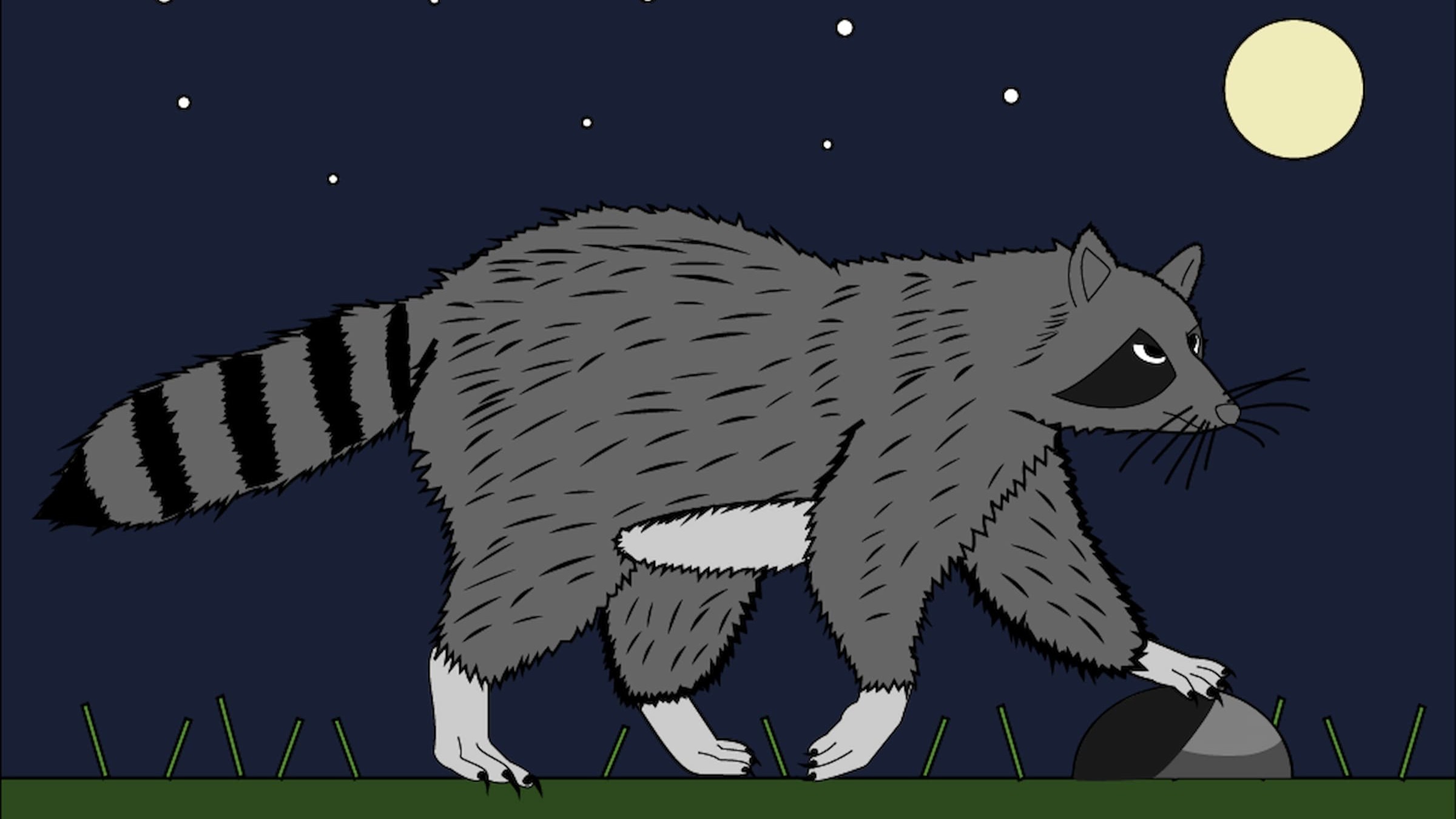
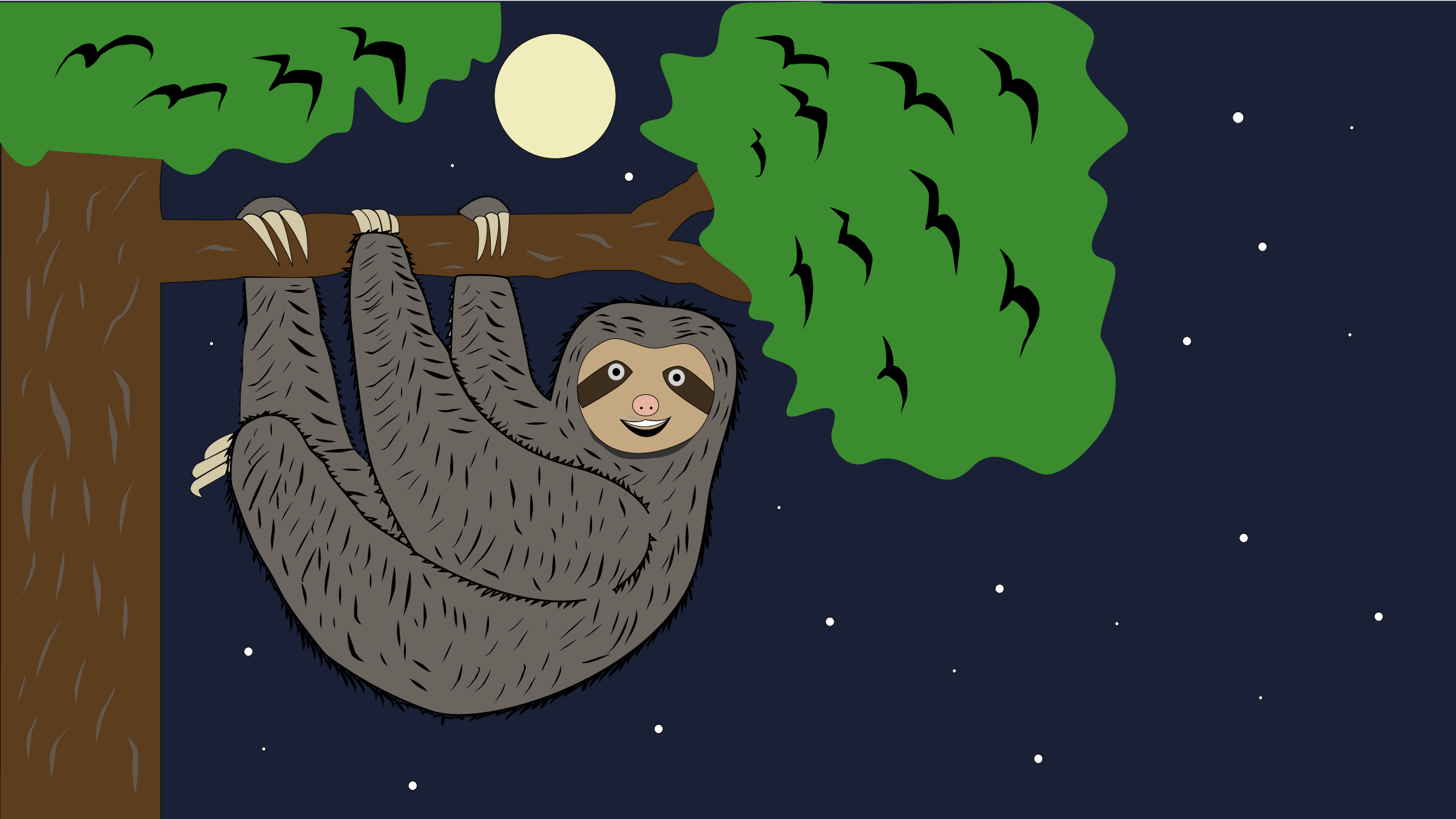
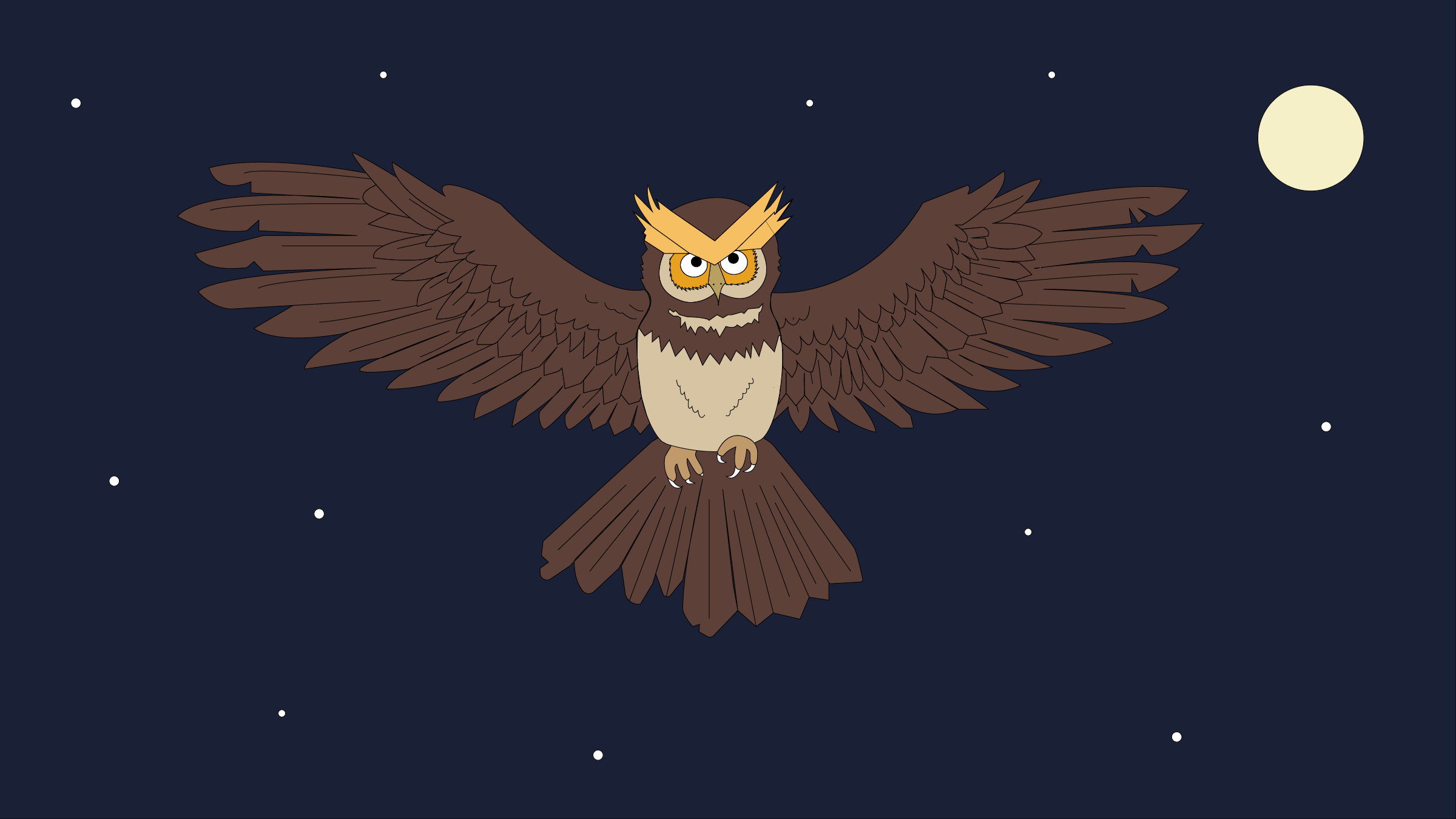
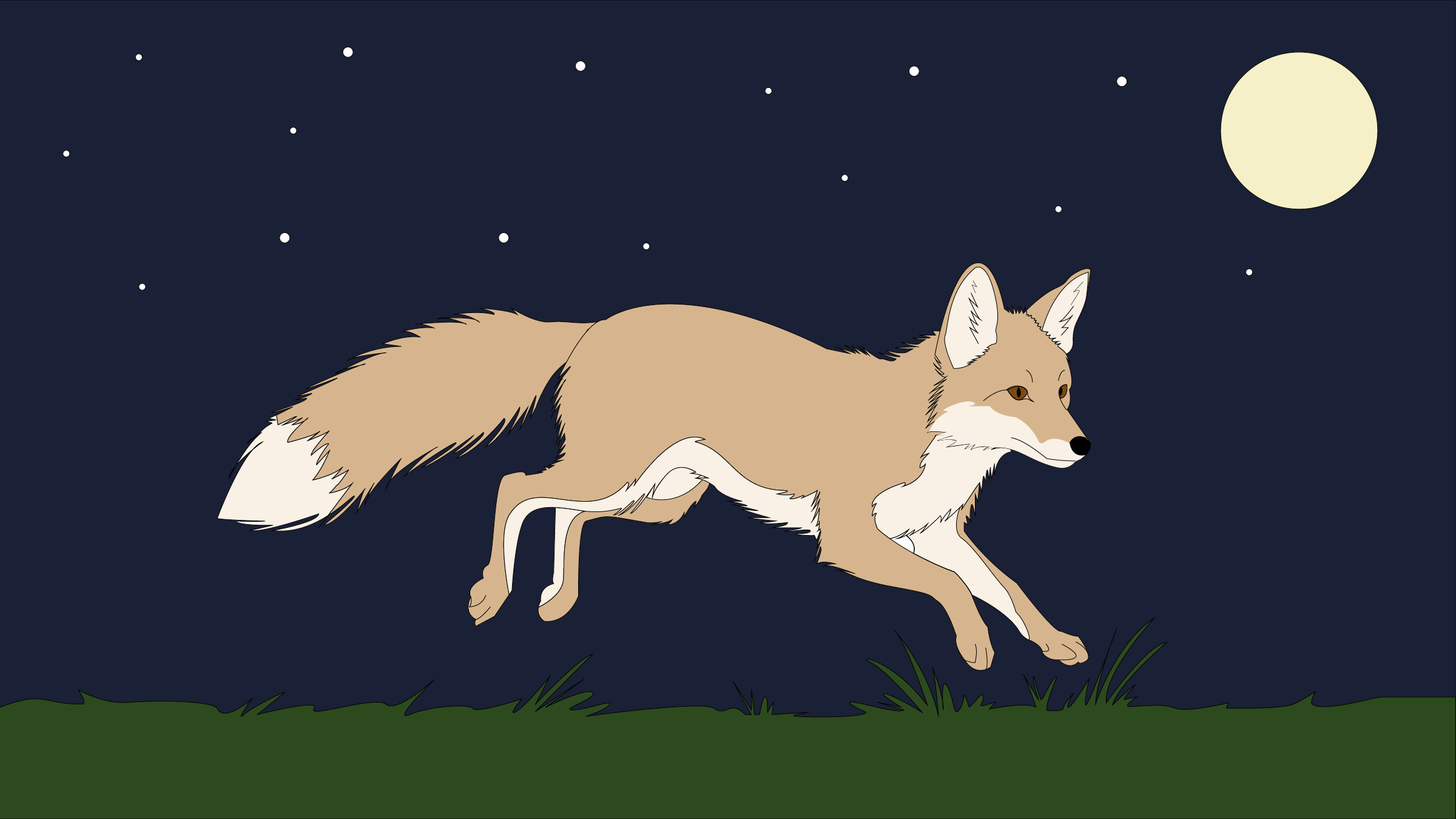
The gallery has four original digital illustrations — a raccoon, an owl, a fox, and a sloth. Each illustration has a short description and some information about the species. The website works on phones and computers.
The Problem I Was Solving
A lot of wildlife information online is presented in ways that are hard to engage with — long articles, dense text, and statistics that are easy to scroll past. I wanted to explore whether illustration could make that information more approachable.
By pairing original artwork with short species descriptions, my goal was to give people a reason to stop and look. If someone connects with a drawing of an animal, they are more likely to read about it and remember what they learned.
Who Is It For?
This website is for anyone who wants to learn about wildlife through art. It is designed to be simple and visual so that people of all ages can browse the gallery, read about each animal, and walk away knowing a little more than they did before — without having to read through long articles or dense information.
Tech Stack
• Adobe Illustrator — vector illustration for all four animal artworks
• HTML & CSS — responsive gallery layout with accessible markup
• GitHub Pages — deployment and version control
• AI-assisted coding — used AI tools to help build and structure the website
through vibe coding, prompting and refining the code throughout the process
Research and Planning
I started by researching wildlife and selecting animals that would work well as illustrations — each one visually distinct so the gallery would have variety. I chose a raccoon, an owl, a fox, and a sloth.
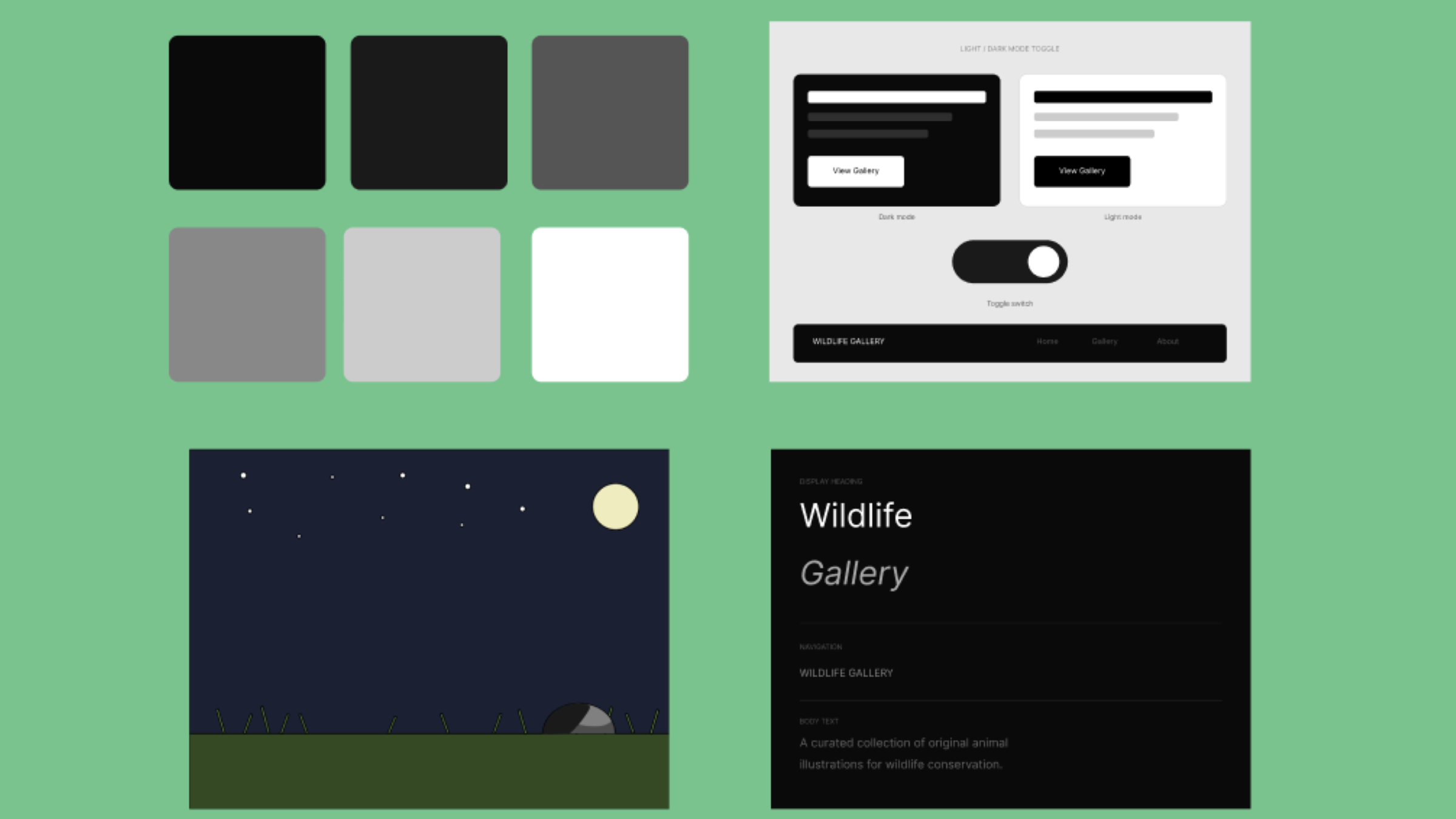
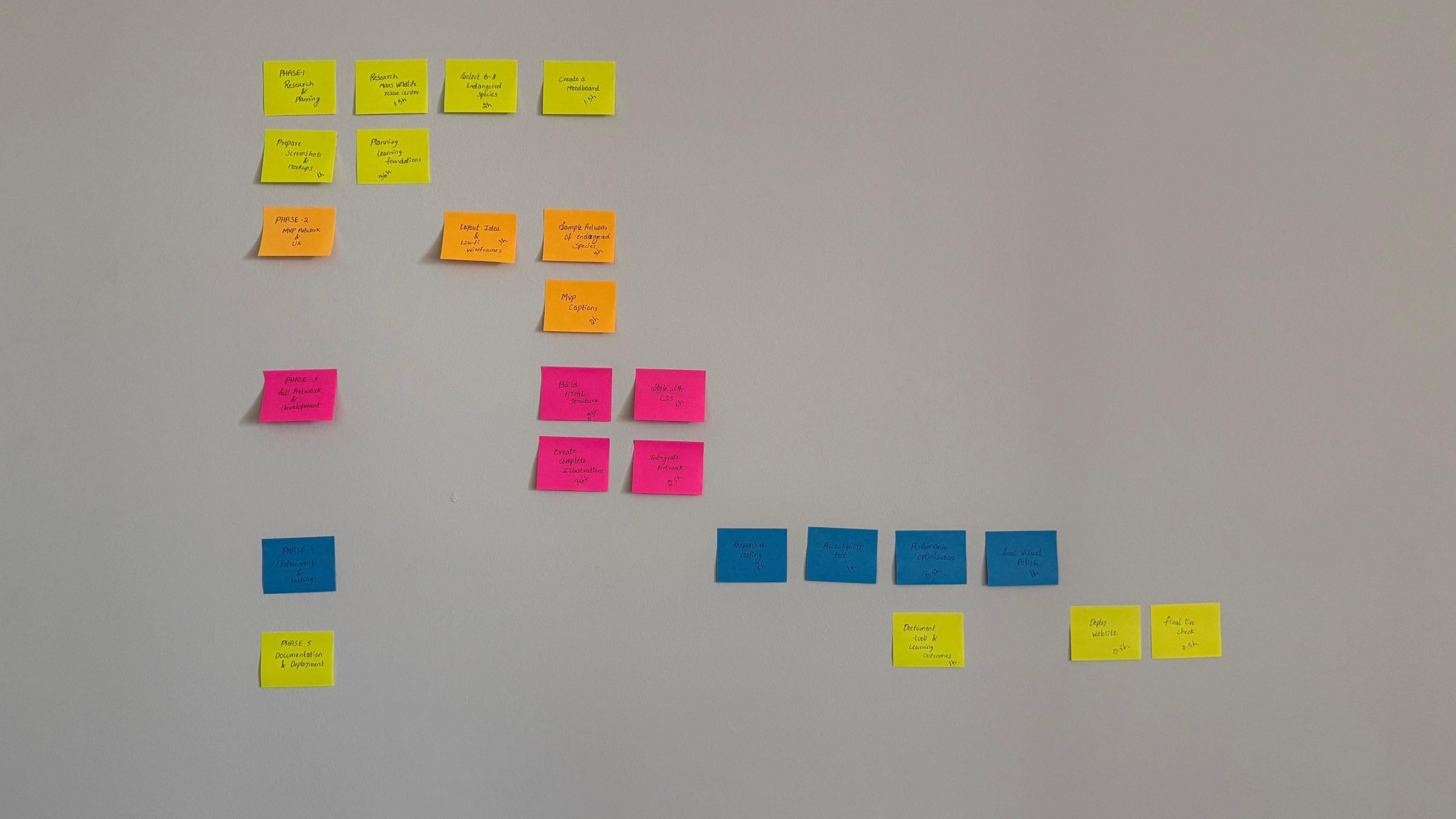
From there I built a moodboard, defined a colour palette, and established a consistent illustration style to use across all four artworks. I also created a Gantt chart and a network graph to plan my time across the term, which helped me stay organised and know what to focus on each week.
Learning the Tools
I was still learning Illustrator during this project. I learned tools like the pen tool, pencil tool, shapes, shape builder, selection and direct selection tool in Illustrator.By the end, using these tools felt much easier than at the start.
Illustration and Artwork Production
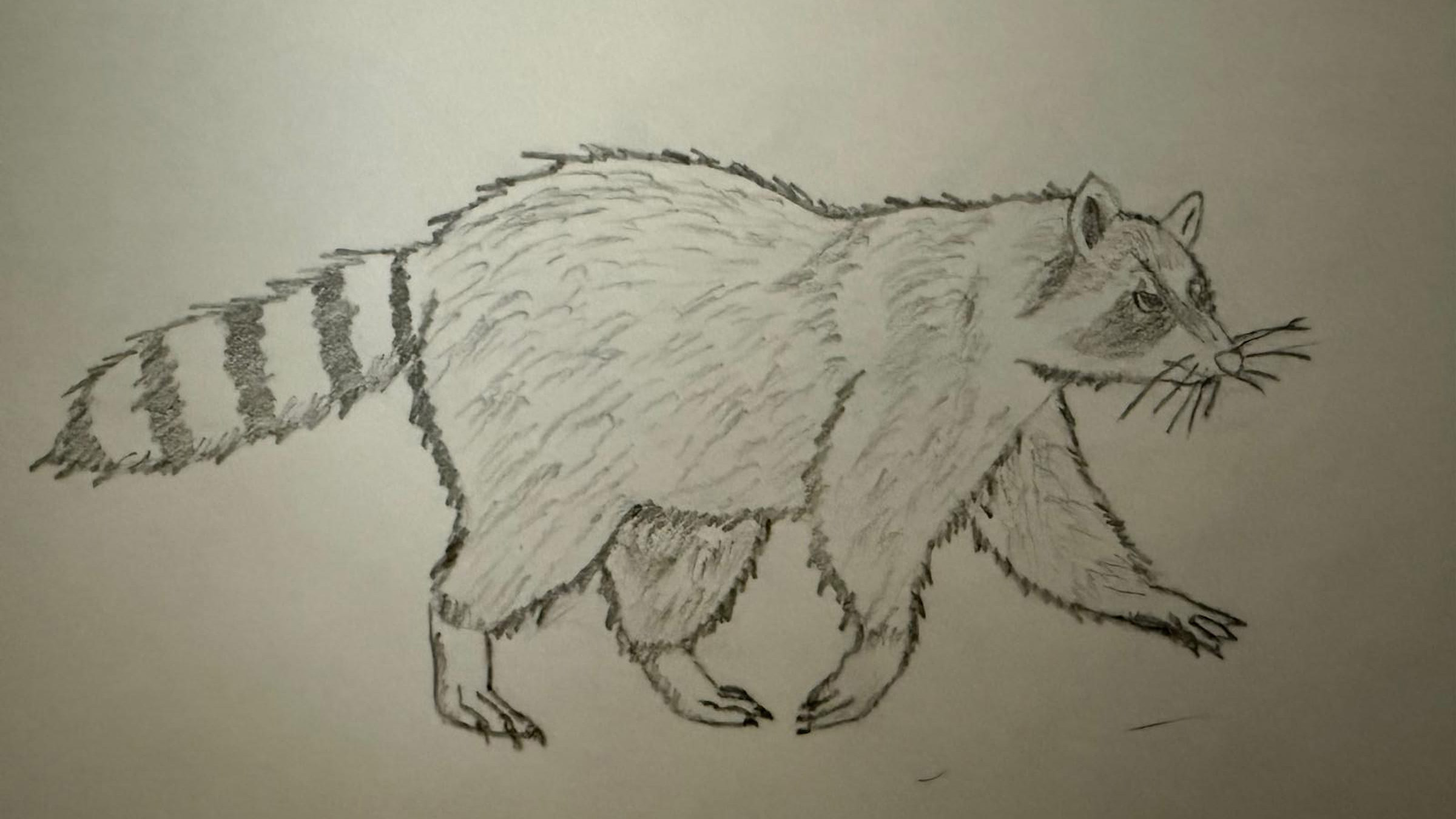
This was my favourite part of the project. For each animal, I started with reference photos, then sketched a rough pencil drawing in my notebook. I brought that sketch into Illustrator as a reference and drew the line art on top of it. Each animal required a different approach — figuring out how to illustrate fur, feathers, or movement meant problem-solving every time. Once the line art was done, I added flat colours to finish each piece.
The raccoon was my first finished drawing. I used it to figure out the style for all the other animals — things like how to draw fur, the eye mask, and which colours to use. By the time I drew the sloth, I had a clear process and it went faster.
I saved each drawing as a PNG file and made sure all the images were the same size so they would look neat in the gallery.
UX/UI Design
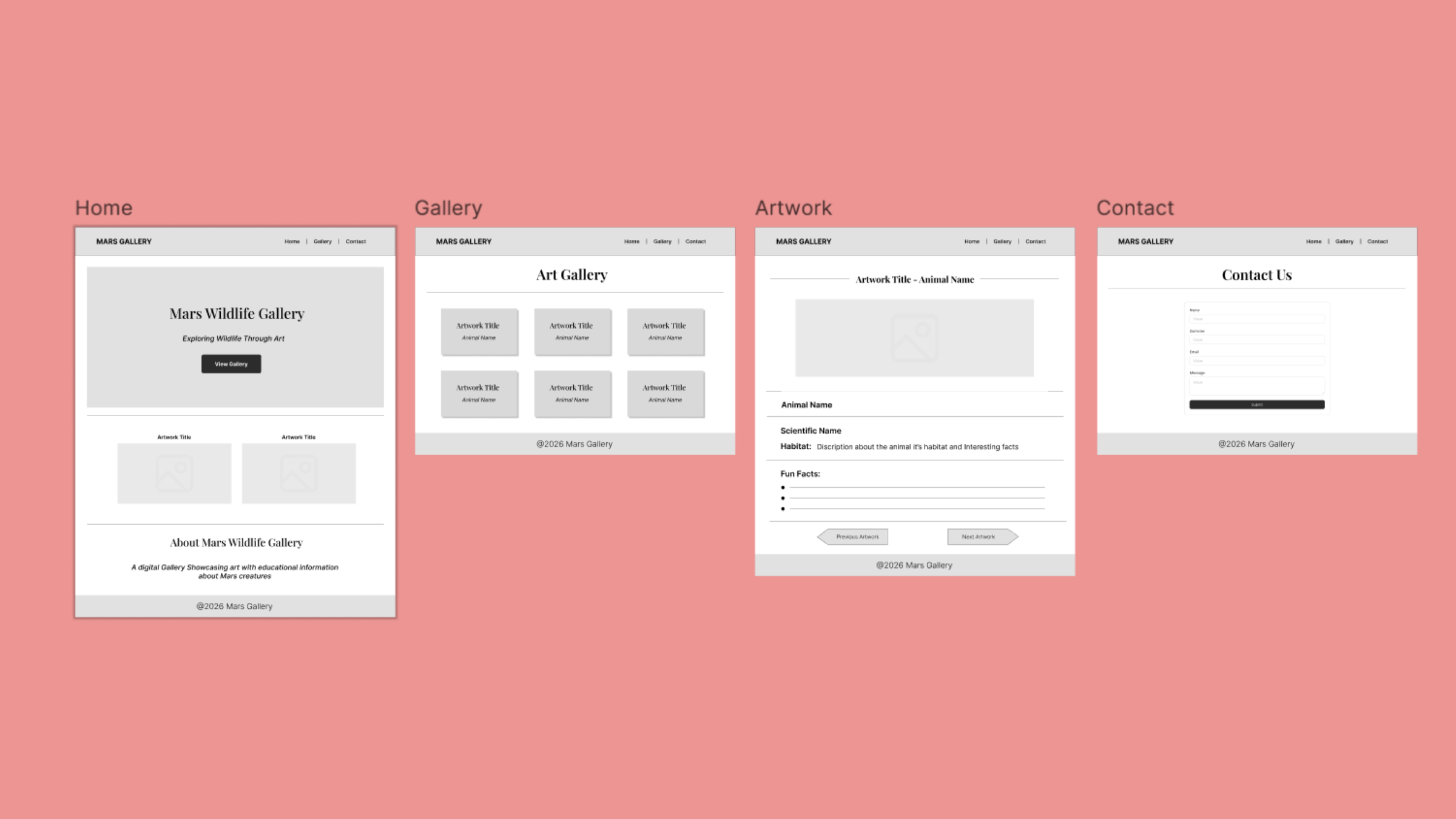
Before I started coding, I made simple wireframes for desktop. I wanted the website to look like a real gallery — clean, with space around each image so it could stand out.
Development
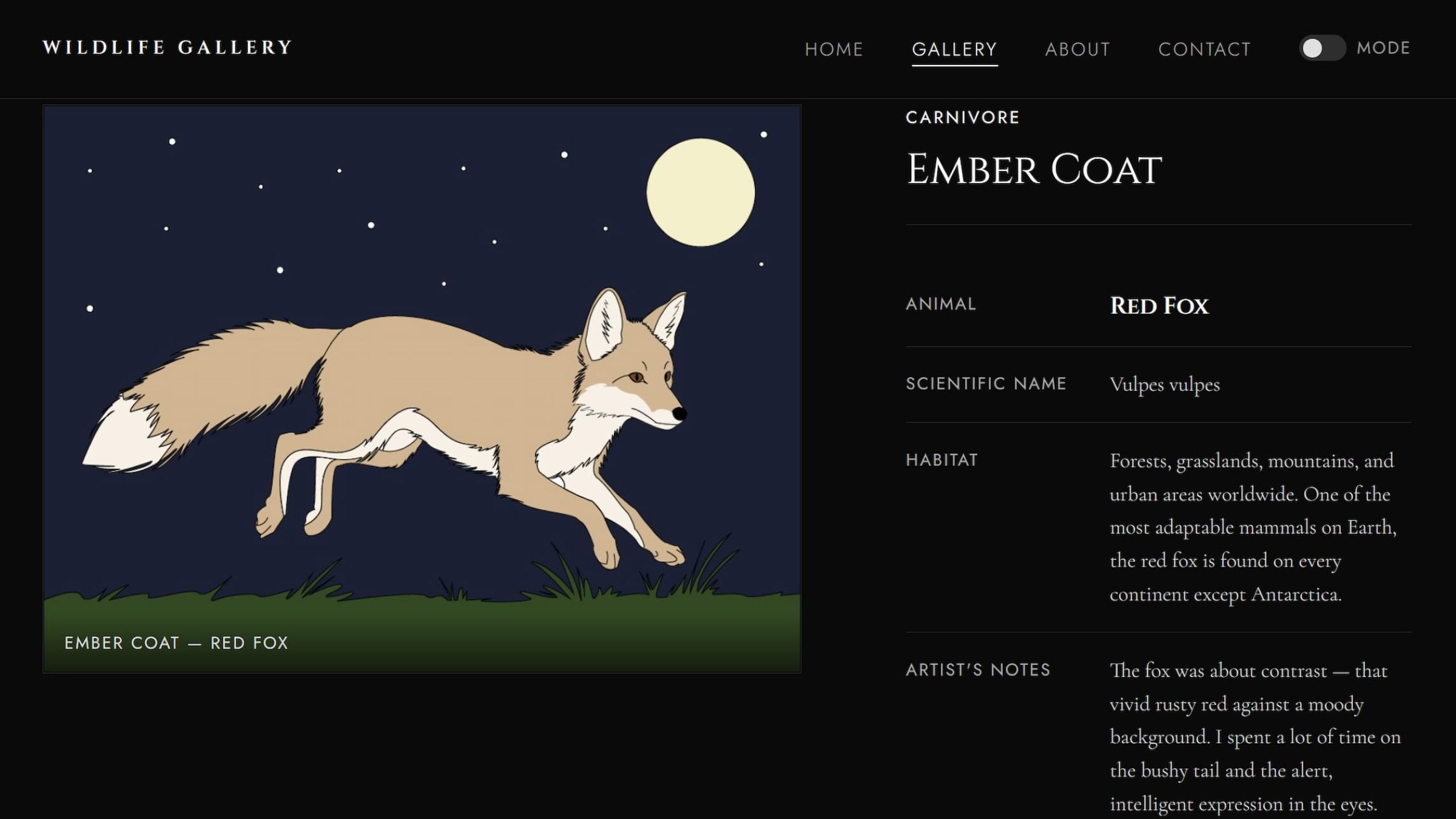
I built the website using AI-assisted coding, prompting and refining the layout throughout the process. The gallery is fully responsive, adapting cleanly to both desktop and mobile screens. I also made sure the website was accessible — adding alt text to every image and checking that the colours had enough contrast.
A detail view was part of the MVP, allowing users to click on any animal and see a larger version of the illustration alongside more species information.
Testing and Deployment
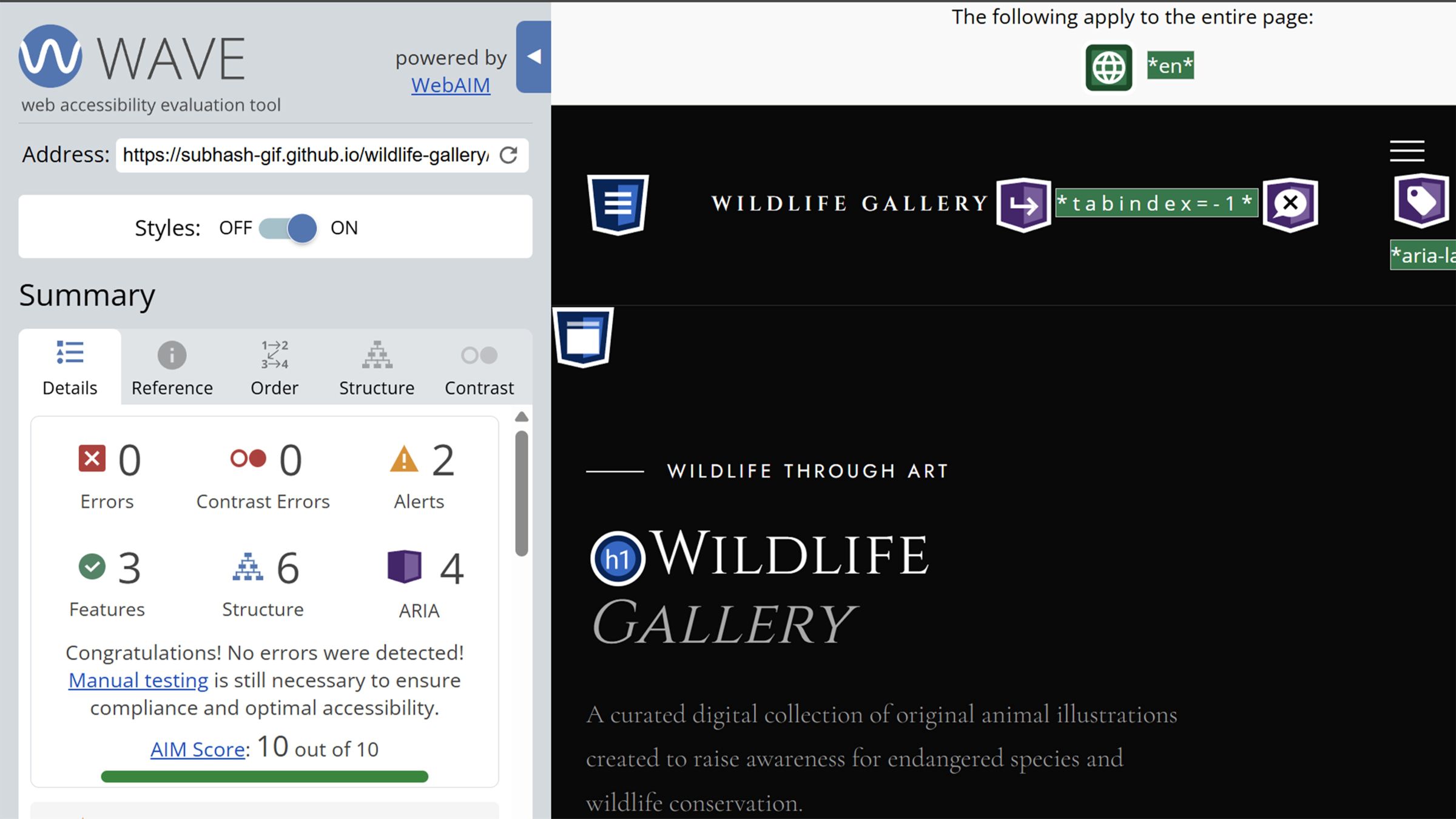
I tested the website across phone, tablet, and desktop, fixing layout issues that appeared on smaller screens. I used the WAVE accessibility tool to check contrast ratios, heading structure, and screen reader compatibility, then made adjustments based on the results. I also checked that the site was keyboard navigable and that images loaded quickly.
The website is live on GitHub Pages — it felt great to see the finished project online after starting from a blank Illustrator file.
What I Am Proud Of
I am proud of all four drawings. When I look at my first drawing and my last one, I can see how much I improved. The raccoon took the most time. Getting the fur and the eye mask right was hard, but I am happy with the result.
What I would do differently
I would give more time to the drawing phase at the start. The tutorials took longer than I expected, so I had to change my schedule. Next time, I would plan more extra time for learning new tools.
What this project taught me
This project taught me that good work takes time and good planning. The time I spent planning before I opened the software was just as important as the time I spent drawing and coding.
The Wildlife Rescue gallery is my best project from this term. It shows everything I learned — drawing, design, coding, accessibility, and how to put a website online. I am proud of it and I think it shows what I can do.