
LinguaCMS
Most language learning apps serve languages with millions of speakers. But over 3,000 endangered languages worldwide have zero digital learning tools – and they never will, because they aren’t commercially viable for big platforms. Communities that want to teach their language are stuck with expensive custom development or static worksheets.
LinguaCMS is a free, open-source platform that lets language teachers build their own interactive courses – no coding required. It’s not a course; it’s a course builder. The admin panel provides a visual exercise builder with 8 exercise types – from flashcards and word banks to listen-and-type – all with audio support. The student side delivers a modern, mobile-friendly learning experience with progress tracking and gamification.
Built as a full-stack application with a .NET 9 API and React frontend, LinguaCMS is self-hosted and community-owned. The content, the data, and the platform belong to whoever uses it.
Check out the project online and on GitHub. Also see the landing page.
Architecture & Tech Stack
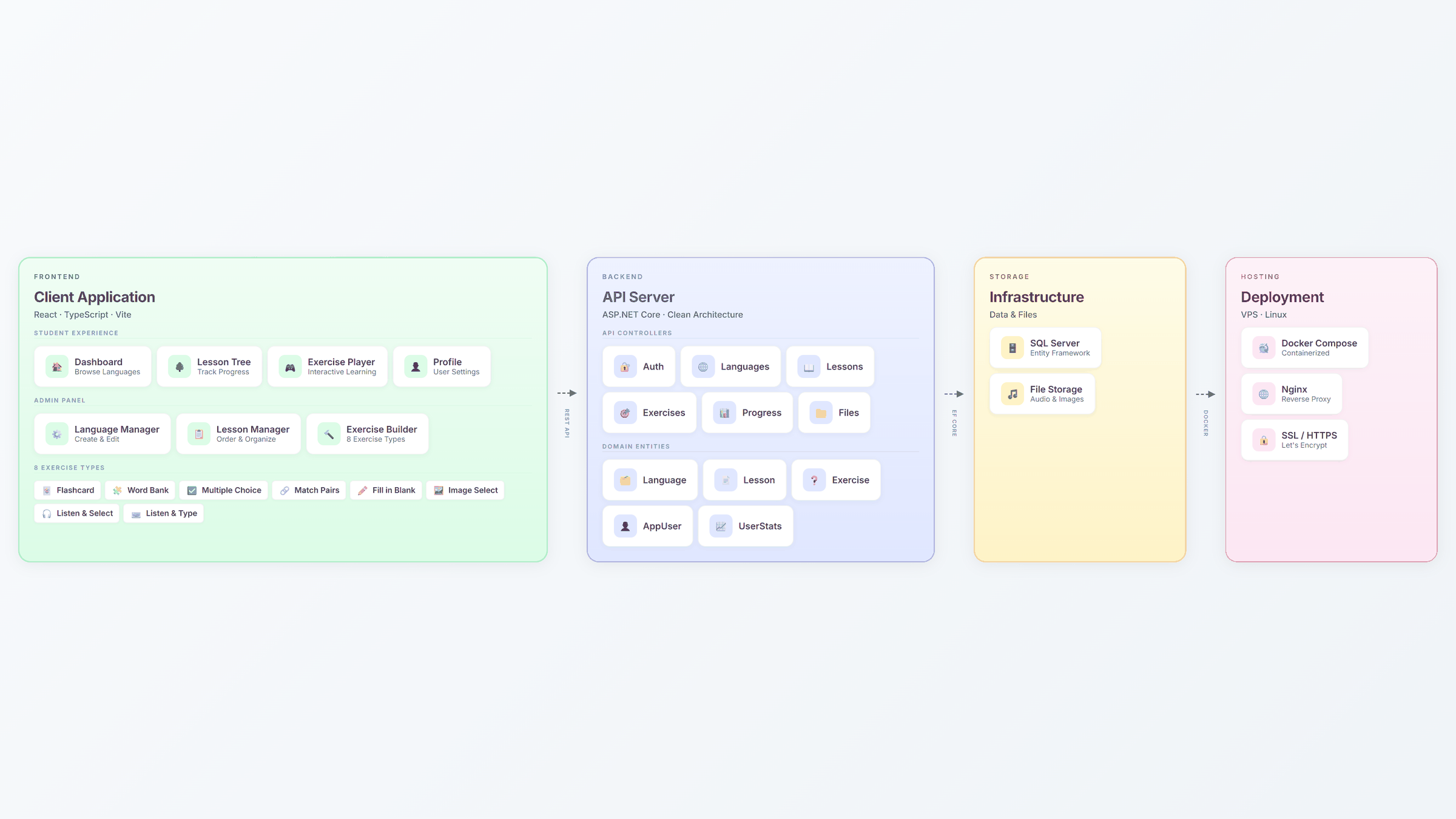
LinguaCMS is built as two separate applications: a .NET 9 REST API on the backend and a React 19 single-page application on the frontend. I chose this split because it mirrors what I see in production systems and Canadian job postings – .NET and React is the most common full-stack combination in enterprise environments, and keeping the API independent means the frontend can be swapped or extended without touching server logic.
The backend follows a CQRS pattern with MediatR, separating read and write operations into focused, testable handlers. Entity Framework Core manages database access against PostgreSQL, and FluentValidation enforces input rules before requests reach business logic. Authentication uses JWT tokens with role-based access – admin and student roles see different API endpoints and UI surfaces.
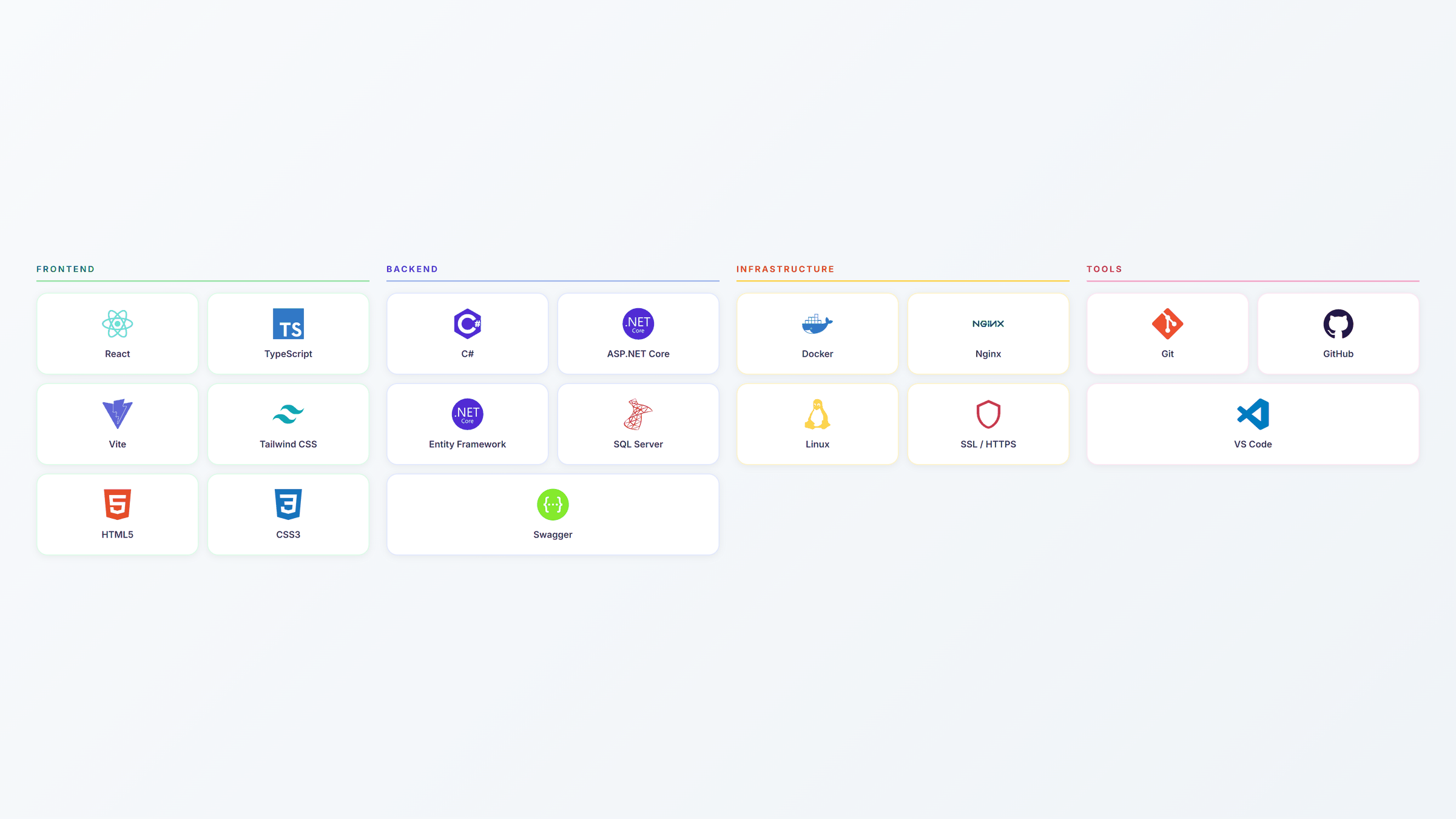
On the frontend, I auto-generate the entire API client from the backend’s OpenAPI specification using openapi-codegen. This eliminates manual type definitions and guarantees the frontend always matches the API contract – when the backend changes, the client updates automatically. Zustand handles authentication state, while React Query manages server data caching and synchronization.
User Flows
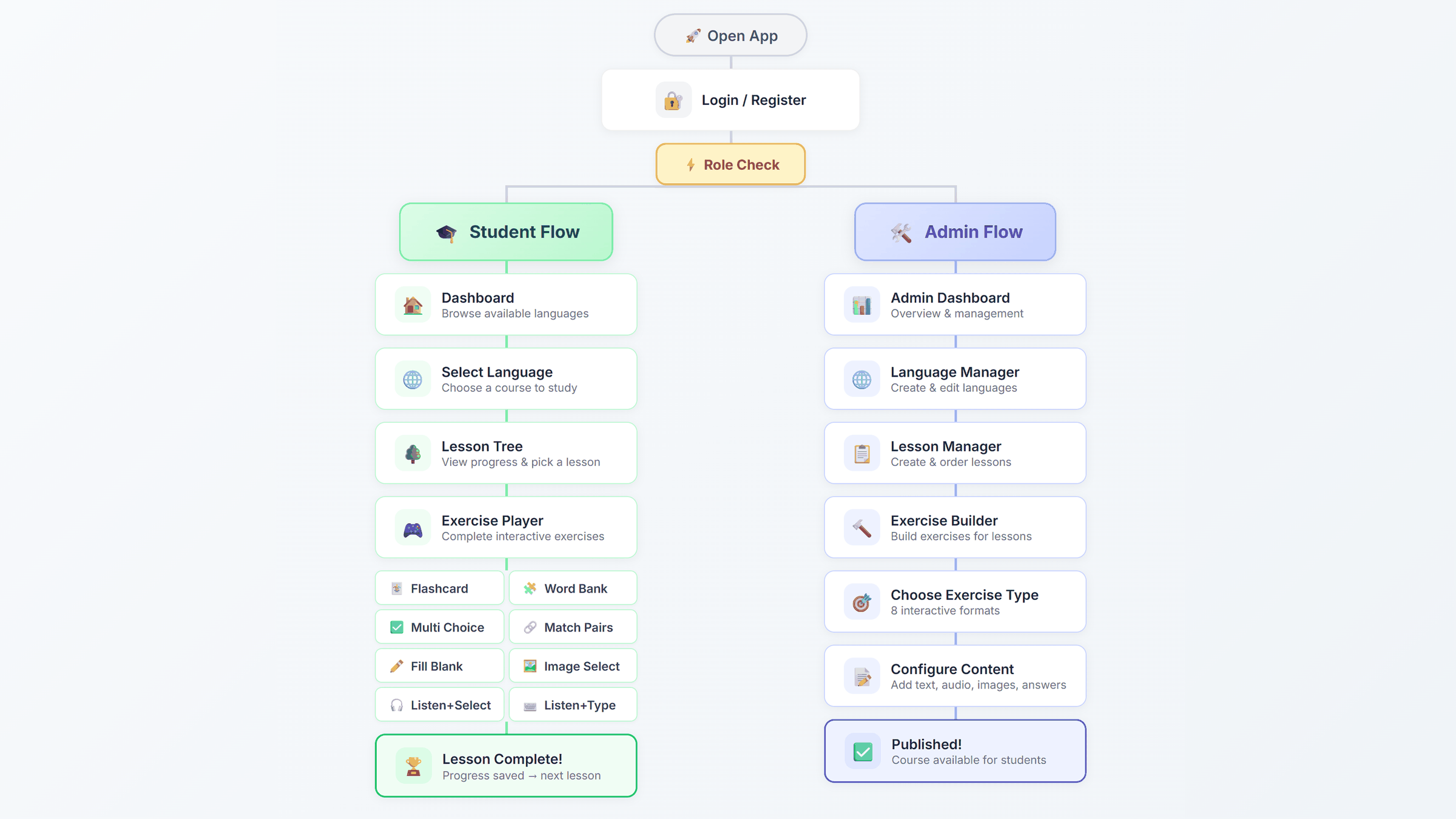
The platform serves two distinct user roles with separate workflows. Students browse available languages, select a course, navigate the lesson tree, and complete interactive exercises with immediate feedback. Admins manage the content pipeline – creating languages, organizing lessons, building exercises using the visual form builder, and publishing courses for students. Both flows share the same authentication system, with role-based routing that directs each user to the appropriate interface after login.
The Student Experience
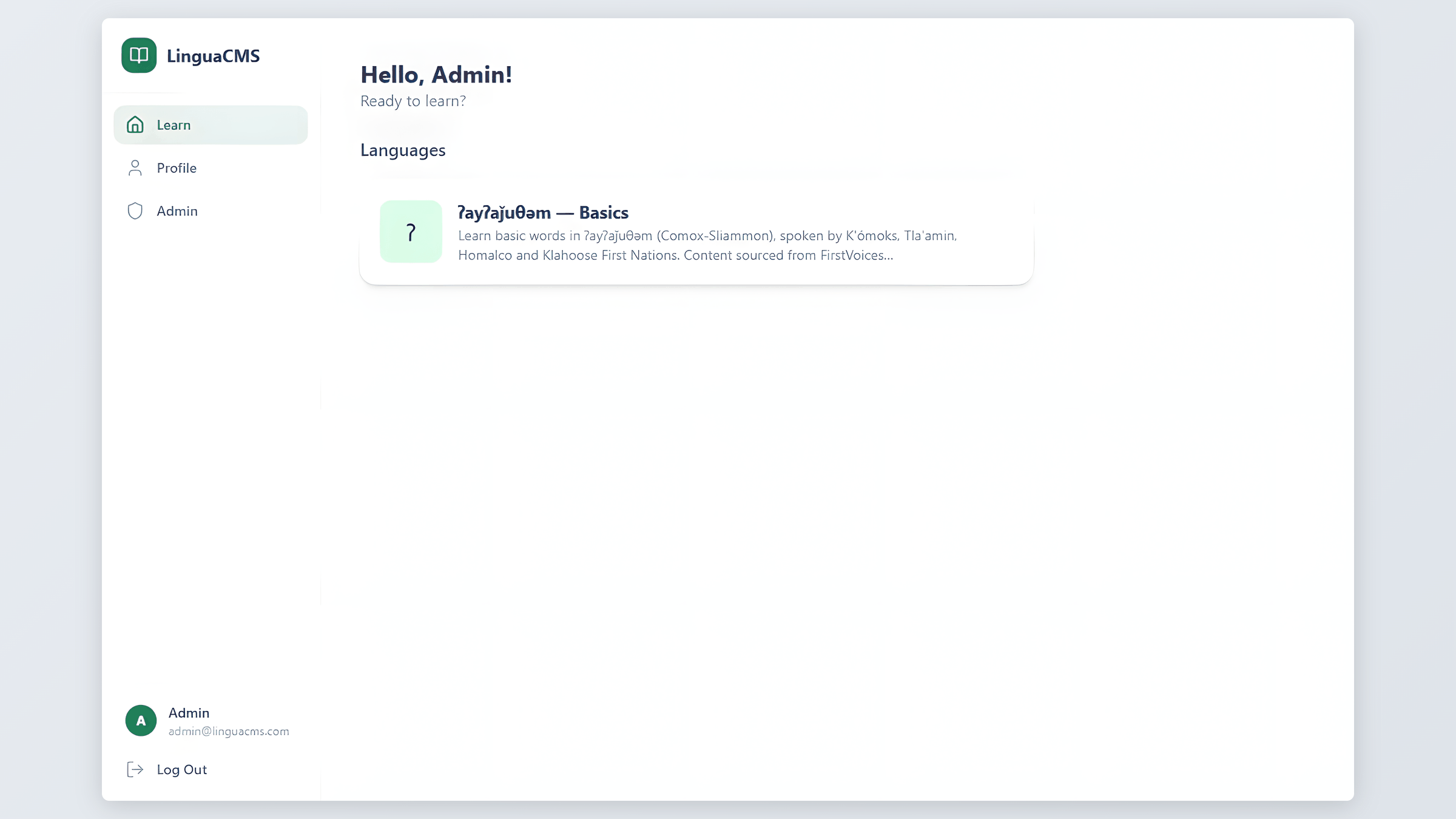
The student side follows a simple path: browse available languages on the dashboard, pick one, and open the lesson tree.
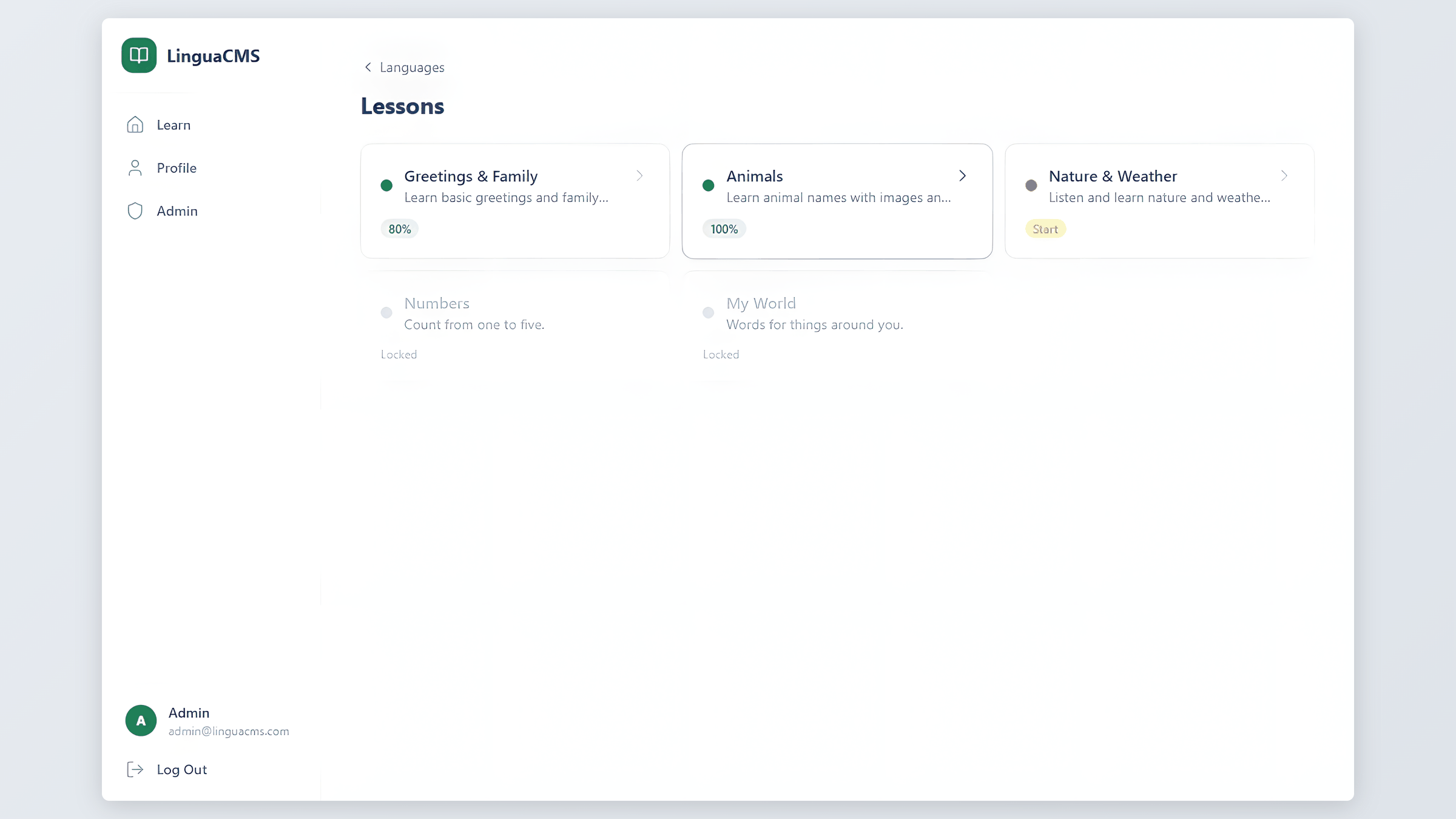
The lesson tree shows progress at a glance – completed lessons, scores, and what’s available next. From here, students pick a lesson and complete exercises.
The exercise player supports eight interactive exercise types: flashcards, multiple choice, word bank (drag-and-drop sentence building), match pairs, fill in the blank, image select, listen & select, and listen & type. Each type provides immediate visual feedback – green for correct, red for incorrect, with the right answer always displayed so the student learns from mistakes rather than just moving on.
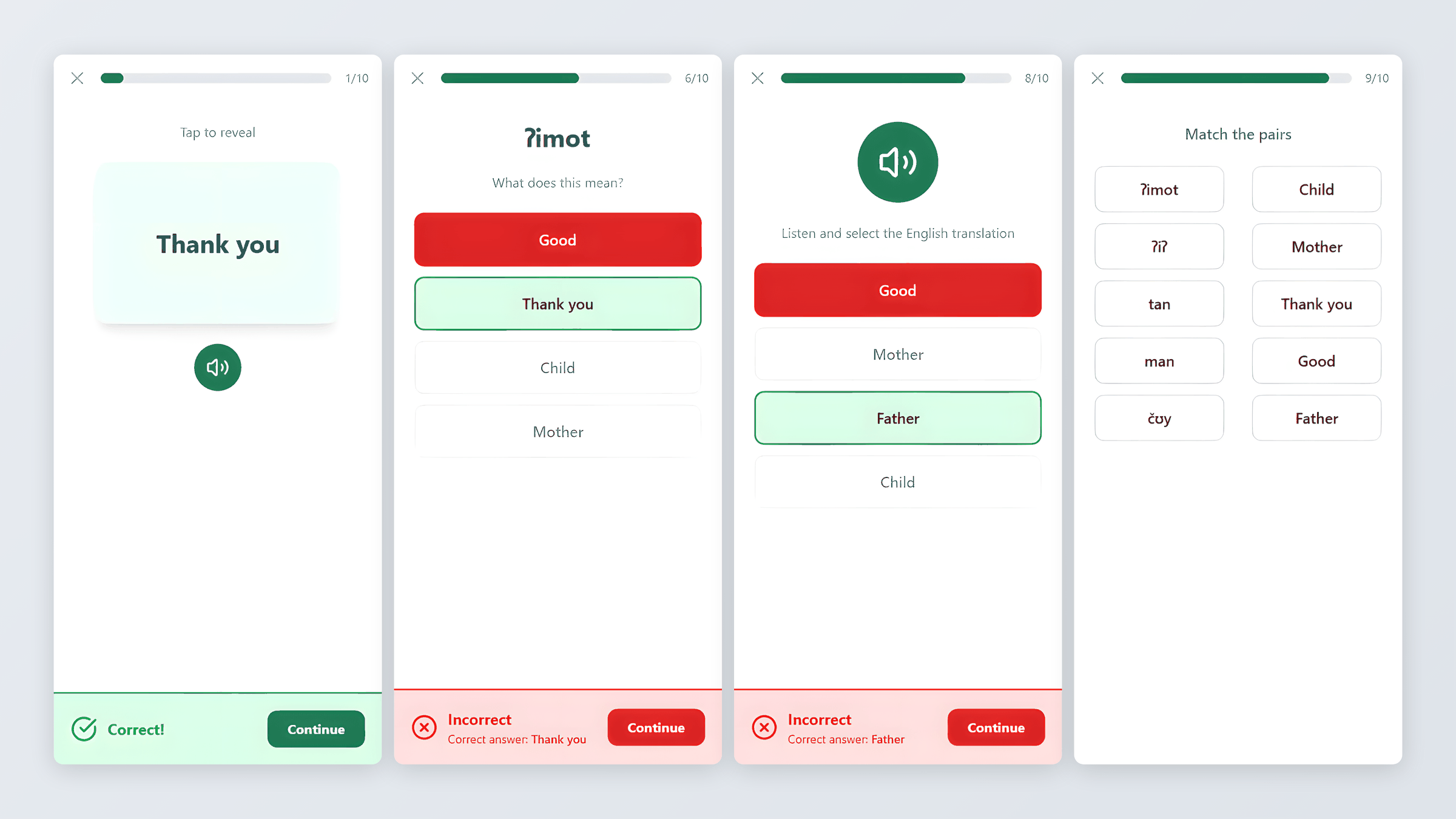
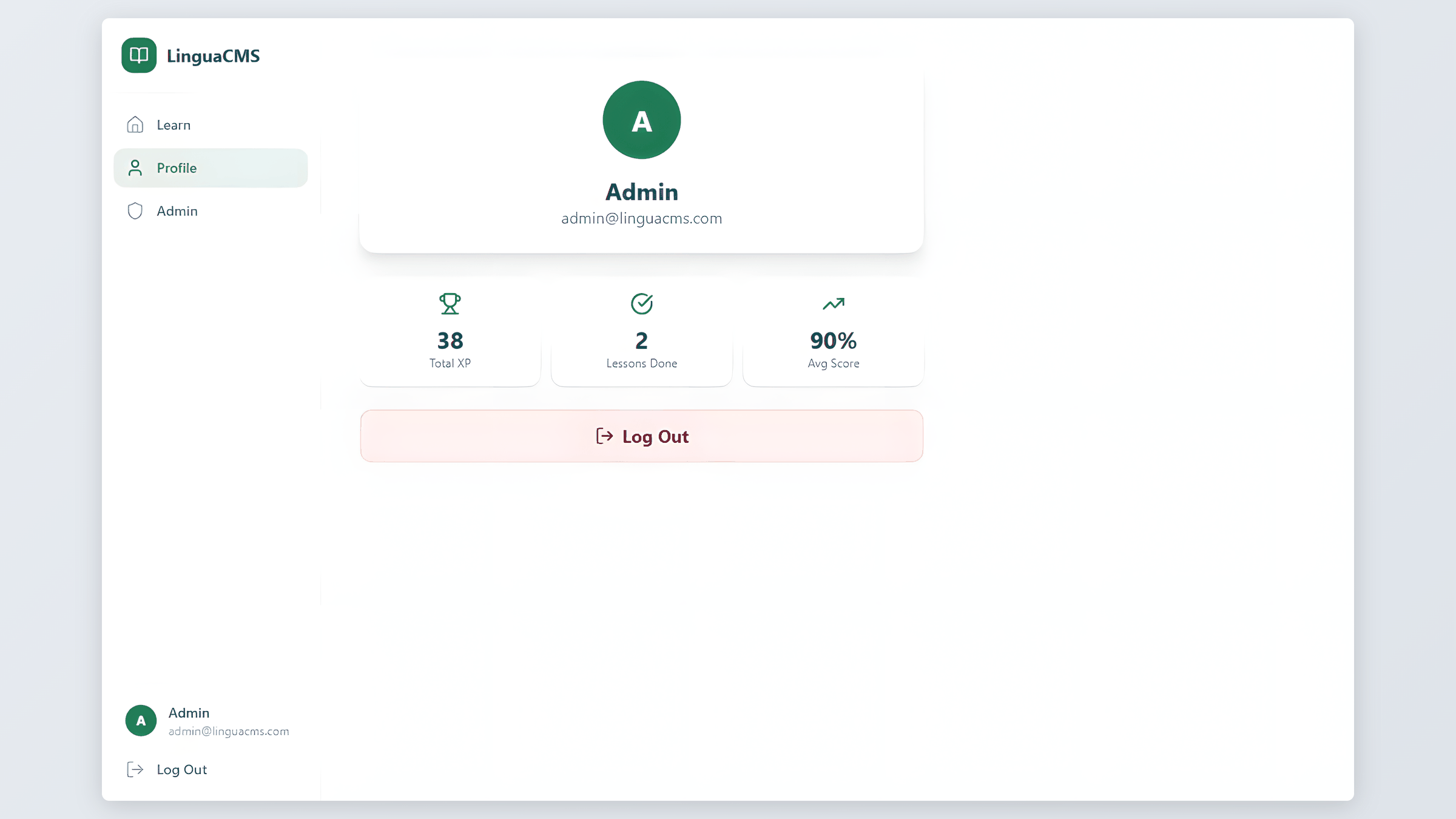
Progress tracking happens automatically. Students earn experience points (XP) for completing lessons, and their profile displays cumulative stats – total XP, lessons finished, and average score. This light gamification keeps learners motivated without overcomplicating the interface.
The Content Management System
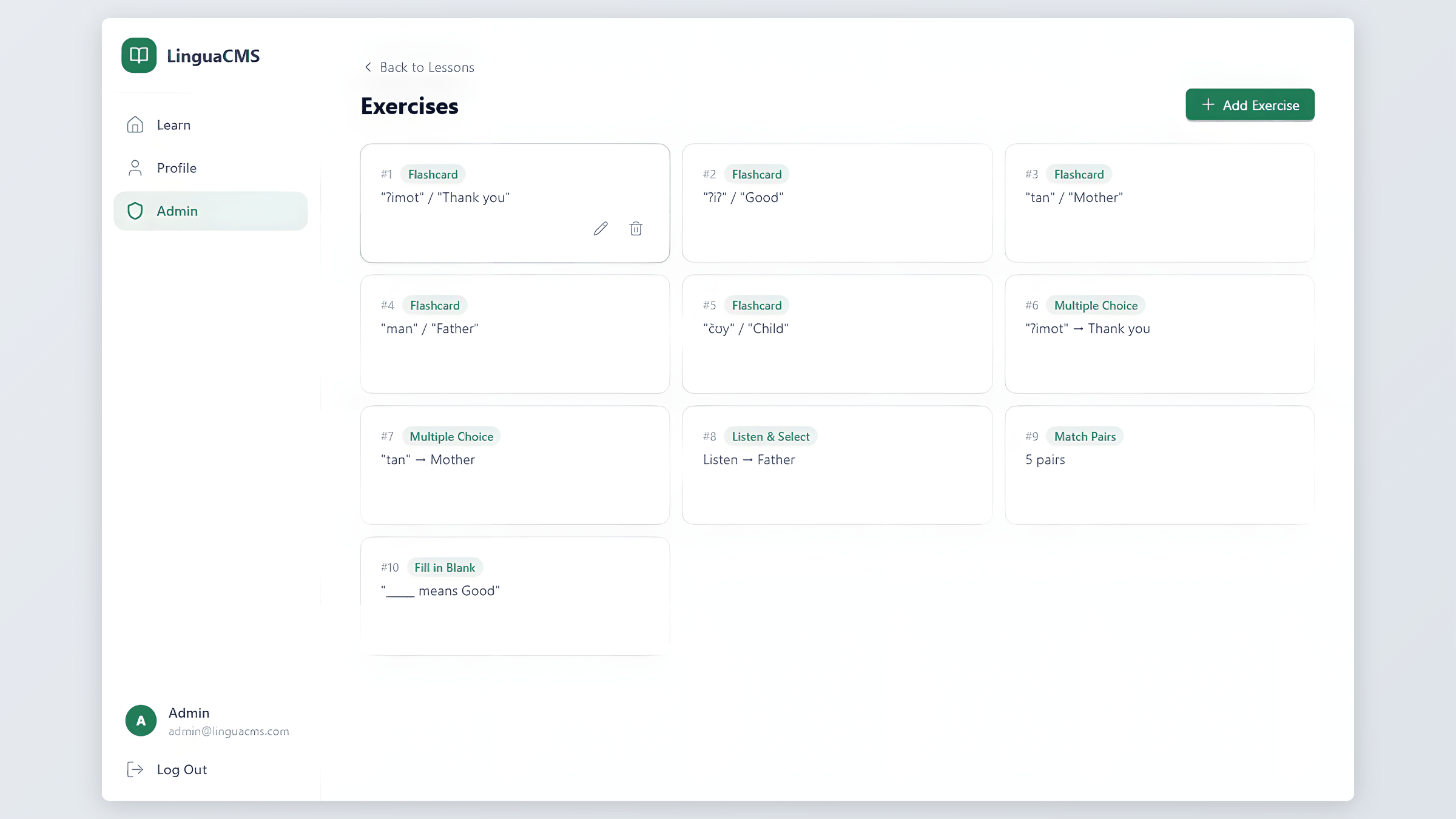
The admin side is where LinguaCMS goes beyond a learning app – it is a course builder. Educators create languages, organize them into lessons, and build exercises through a visual form builder. No coding, no JSON editing, no technical background required.
The exercise builder was the most complex UI component in the project. Each of the eight exercise types needs different input fields: a flashcard requires front text, back text, and optional audio; a multiple choice question needs a prompt, one correct answer, and three distractors; a match pairs exercise takes paired word lists. I built a single dynamic form that adapts its fields based on the selected type, keeping the experience consistent while handling very different data structures underneath.
Educators can also attach audio and images to any exercise, and write custom instructions per exercise – pronunciation tips, grammar notes, or context that students see before answering.
Responsive Design
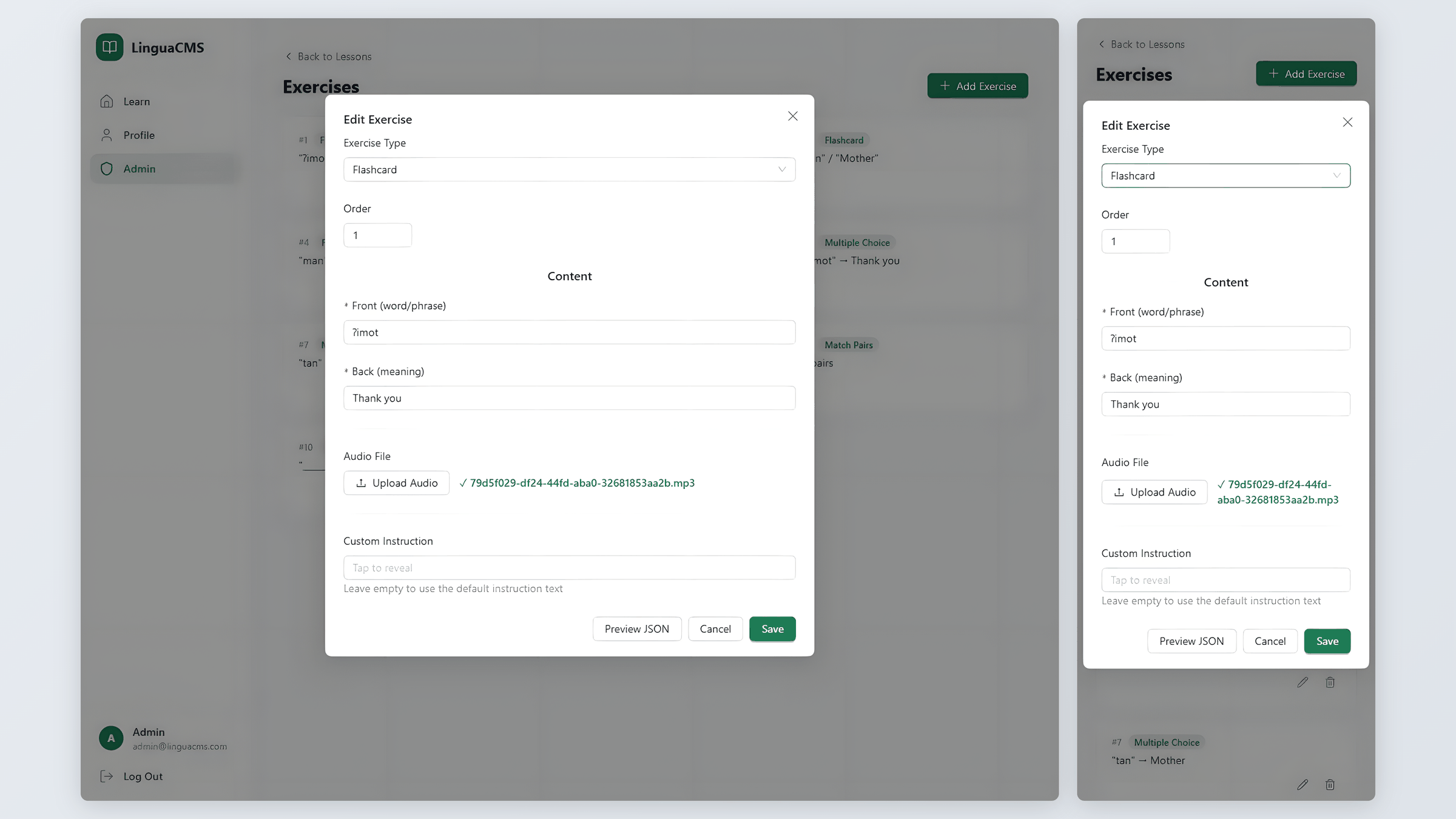
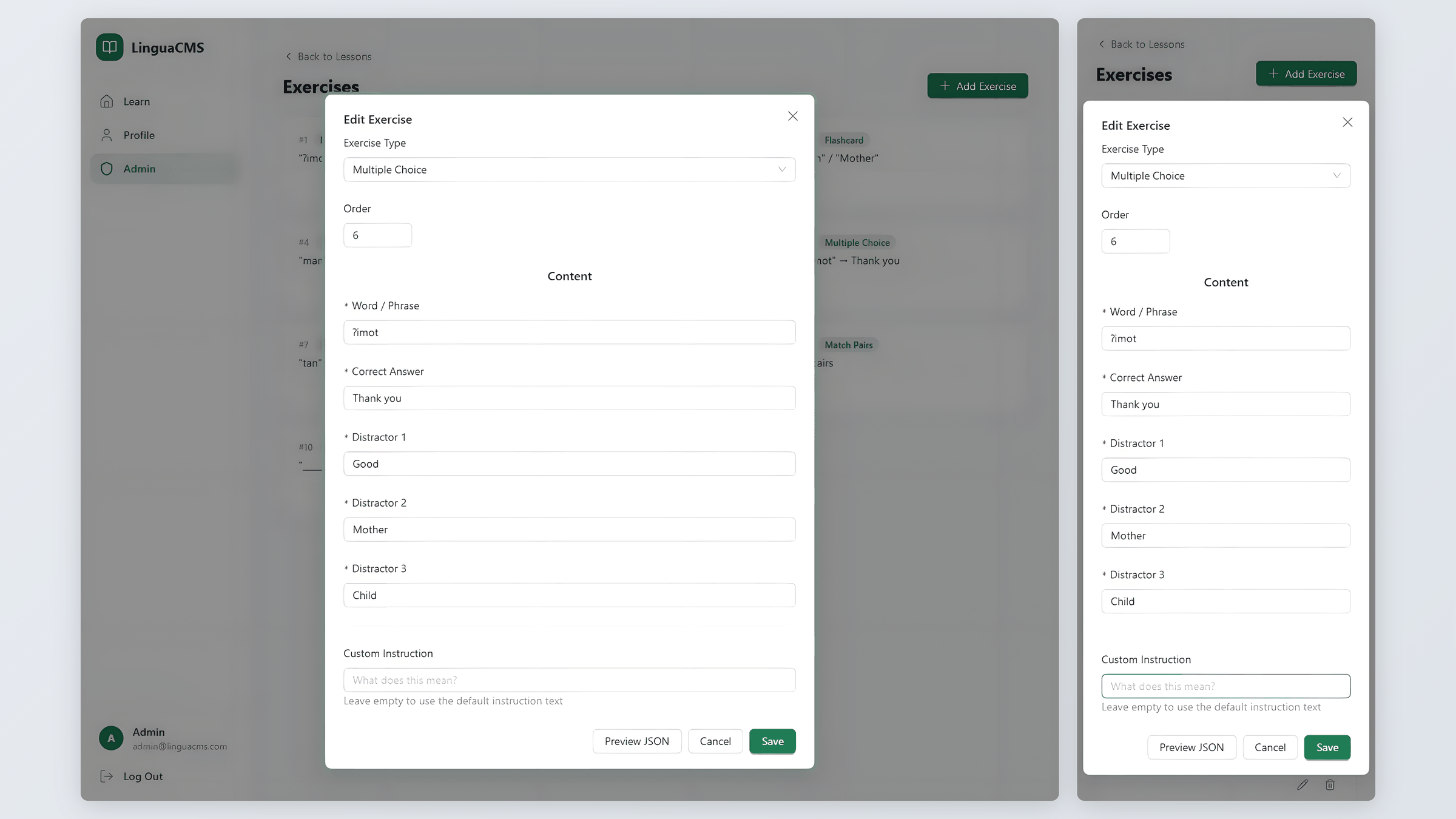
The interface works across devices – whether students use a laptop at home or a phone on the go. The same editing forms that admins use on desktop are fully functional on mobile.
I used Tailwind CSS with a mobile-first approach: base styles target phone screens, and media queries add layout complexity for larger viewports. The student side uses a bottom navigation bar on mobile that switches to a sidebar on desktop. The admin panel uses a collapsible sidebar that becomes a hamburger menu on smaller screens.
One specific challenge was the word bank exercise, which relies on drag-and-drop for sentence assembly. The standard HTML5 drag API does not work on touchscreens. I integrated dnd-kit with touch sensors so students can drag and reorder words on mobile just as naturally as with a mouse on desktop.
Challenges & Iteration
Several problems shaped the final product.
The exercise builder form went through multiple redesigns. My first version used separate form pages for each exercise type – eight pages with heavily duplicated layout code. I consolidated these into a single dynamic form driven by the exercise type selection, which cut the code by more than half and made adding new exercise types straightforward.
Audio playback caused bugs early on: sounds overlapped when students navigated quickly between exercises, and playback continued after leaving a lesson. I resolved this with proper cleanup in React’s useEffect hooks – stopping all active audio on component unmount and preventing concurrent playback.
After a mid-project critique, I received feedback that flashcard scoring (“Knew it” / “Didn’t know” buttons) added unnecessary pressure and did not fit the platform’s learning-first approach. I removed scoring entirely and redesigned flashcards as a pure learning element – show the word, reveal the translation with optional audio playback, and continue. This was a scope reduction that genuinely improved the user experience.
Outcome & Reflection

The project was completed in 76 hours across four development phases. All MVP features are functional: full content management for languages, lessons, and exercises; eight exercise types with audio and image support; JWT authentication with role-based access; progress tracking with experience points (XP) and scoring; and a responsive interface tested on both desktop and mobile.
Given more time, I would bring back exercises the student got wrong, so they can retry them later , a leaderboard for friendly competition, and grammar reference pages within lessons so students can review rules before practicing. The architecture supports these additions – each feature can be built as a new handler and component without restructuring existing code.