
AilyCart
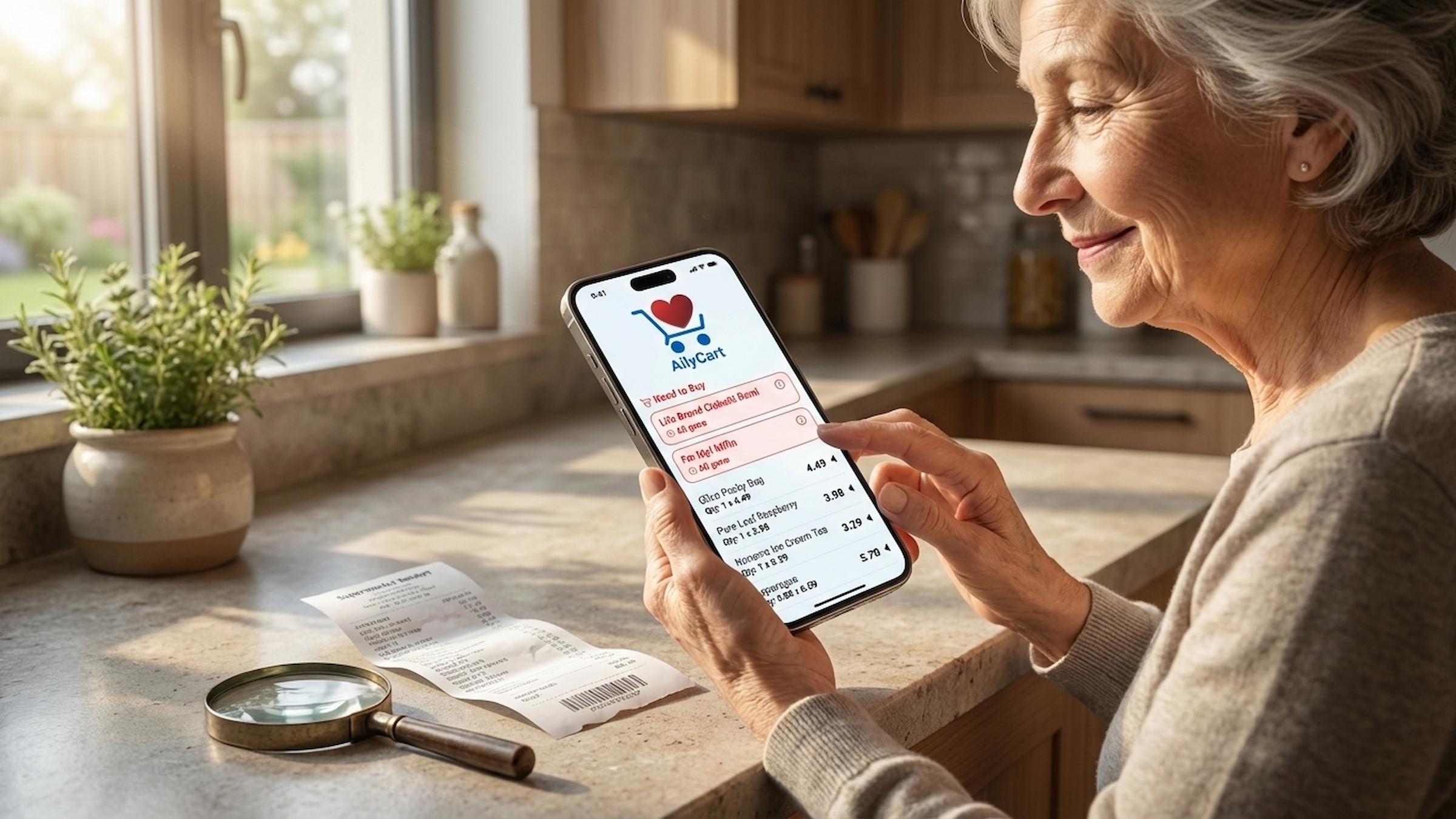
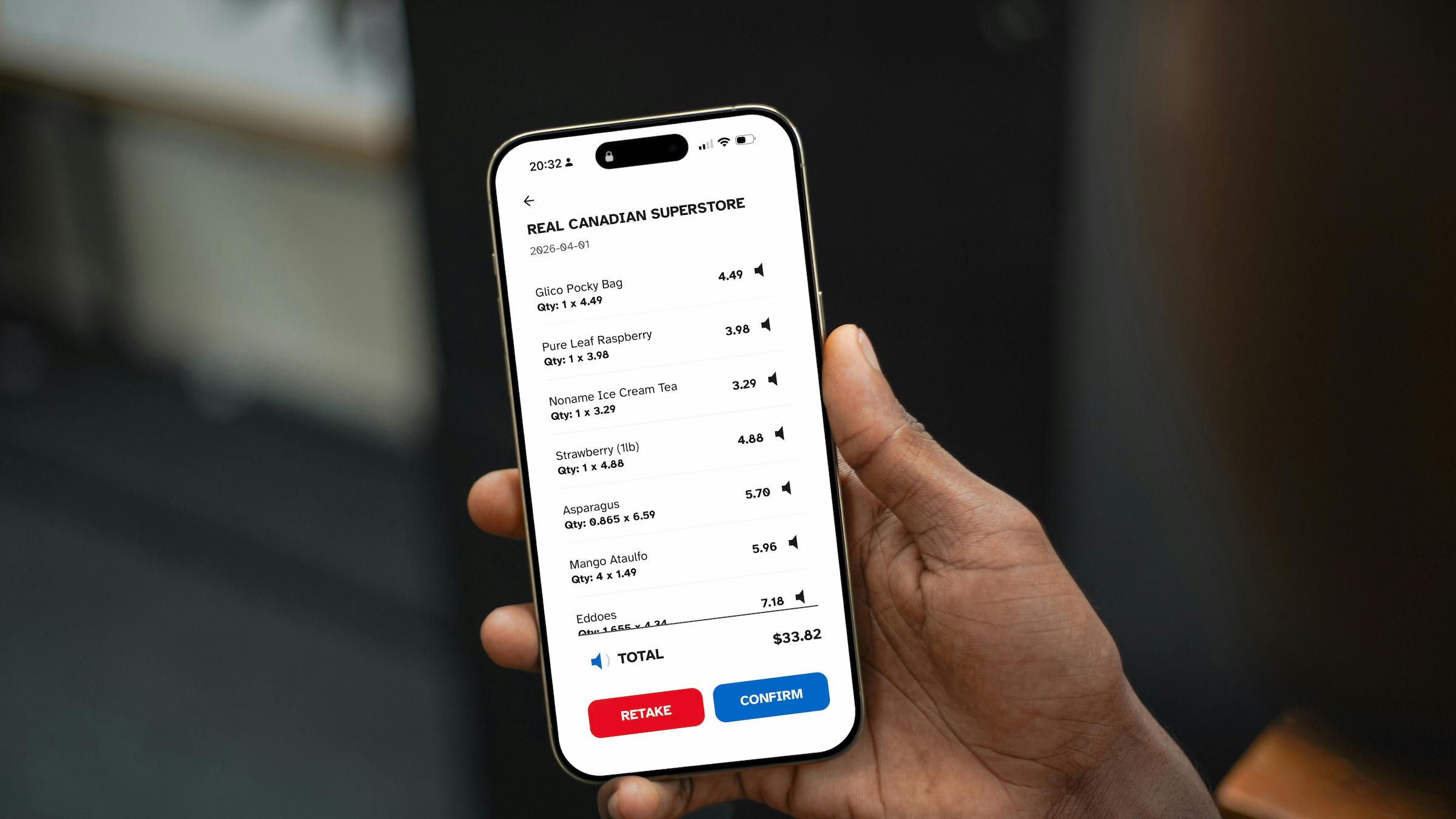
AilyCart is an AI-powered accessibility assistant designed to bridge the gap between complex physical data and the accessible information for seniors facing visual and cognitive barriers in grocery management. The project addresses the “hidden tax” on senior independence caused by small-print receipts, complex digital interfaces, and memory-related uncertainty about what they already have at home.
To help with this, I architected a full-stack mobile solution using React Native, Expo Go, and a FastAPI backend. By utilizing GPT-4o-mini Vision for receipt parsing and Groq for voice-intent extraction, I created a seamless pipeline that transforms unstructured physical data into audible, high-contrast information.
The outcome is a robust MVP that empowers seniors to verify prices, track inventory via natural speech, and receive proactive restock alerts. This project demonstrates my ability to build a full-stack application while delivering a human-centric AI product that is helpful to elderly users.
Check out the project on GitHub.
Problem Definition and Proposed Solution
The development of AilyCart began with identifying the “visual data gap” in managing elderly households. I found that seniors often struggled to check shopping lists against small printouts, especially those with visual impairments. Some seniors also frequently forgot their inventory, leading to missed shopping trips and multiple trips.
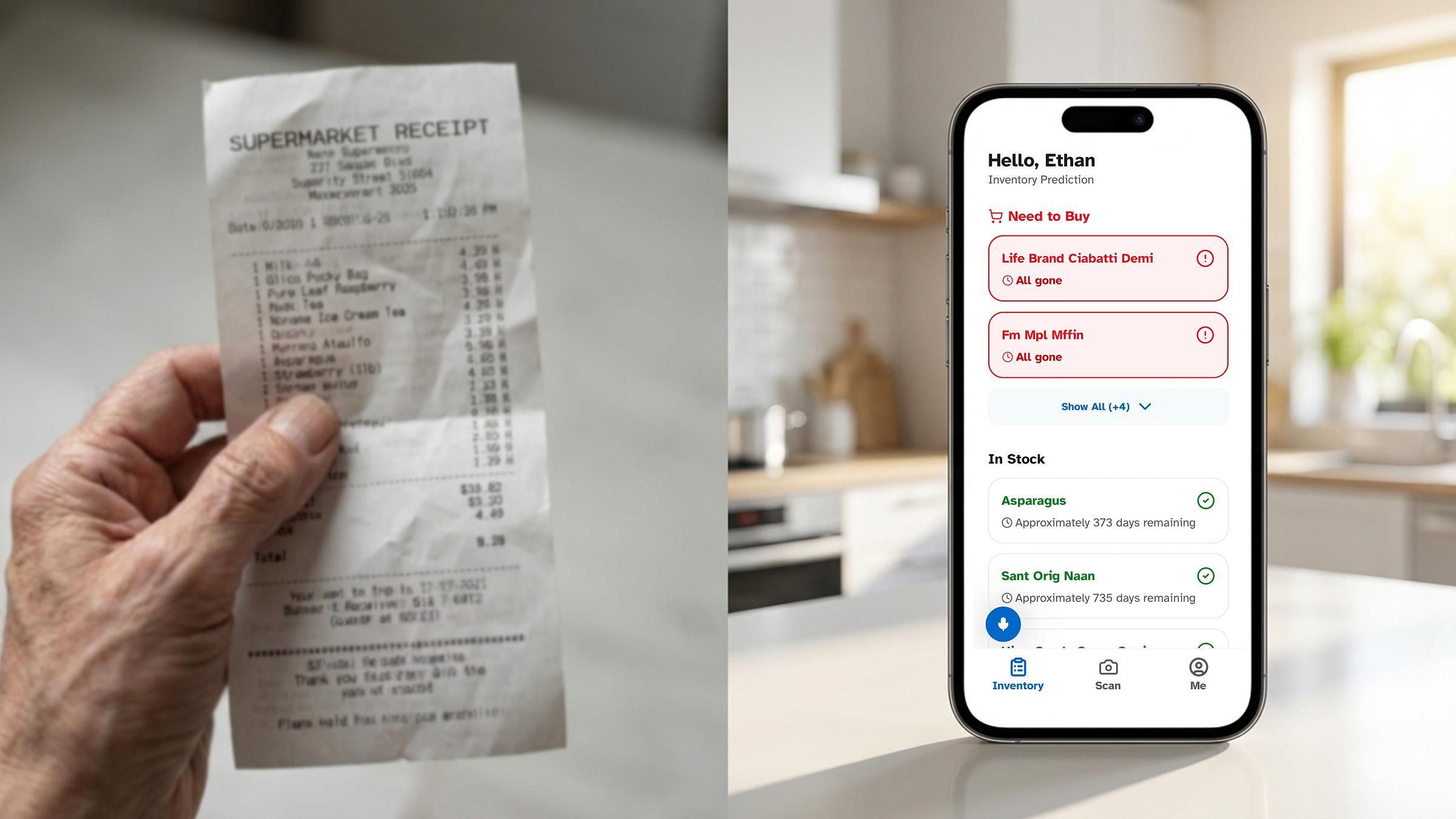
Based on these findings, I proposed an AI-driven solution, AilyCart, to solve them. The goal of AilyCart was to build a “digital eye” that not only helps seniors record their shopping lists but also automatically reminds them of inventory levels.
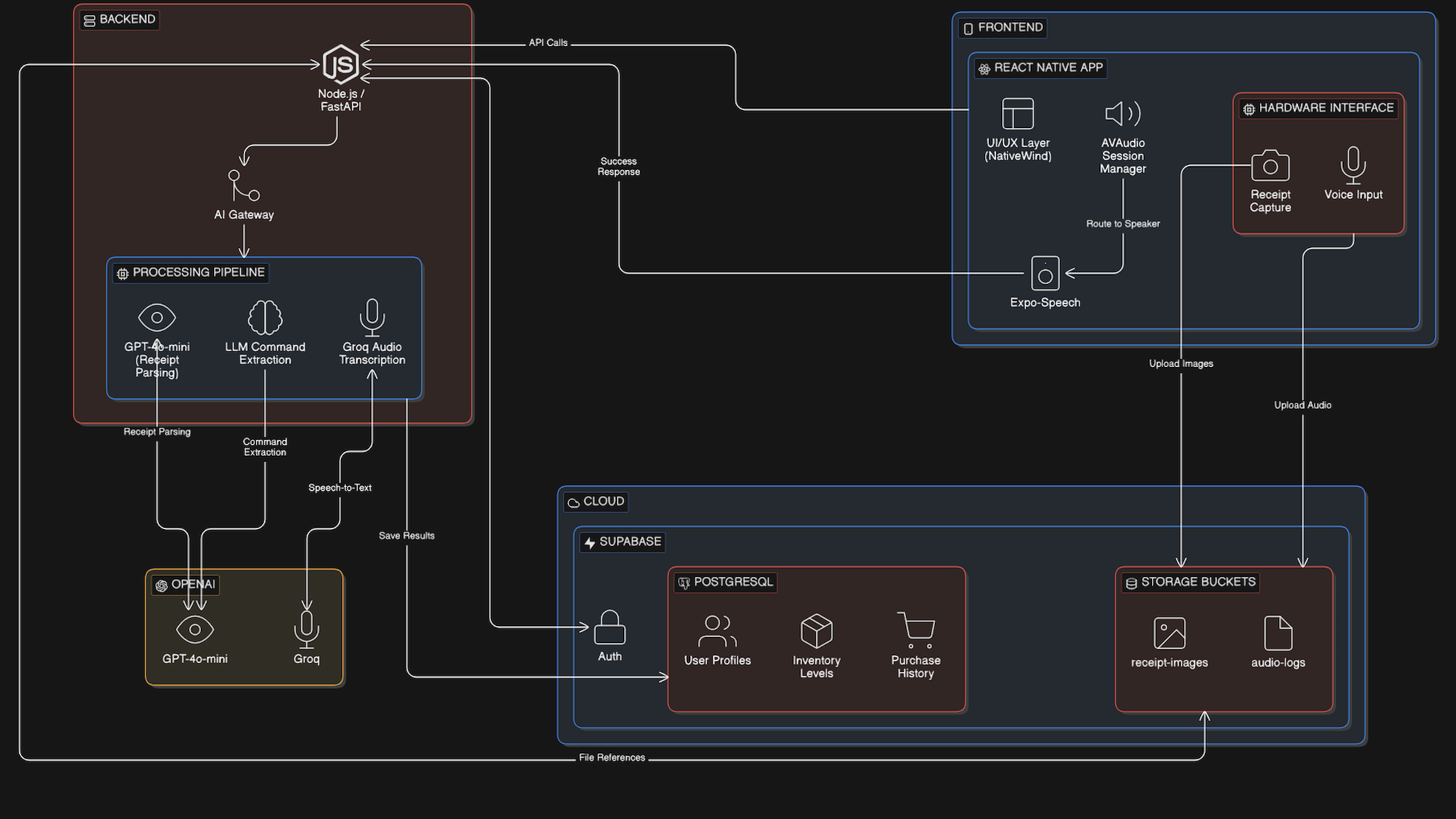
By offloading heavy tasks such as cognition and prediction to the backend, this solution not only reduced the hardware burden on the frontend (e.g., lowering power consumption), but also ensured that updates to backend computing power and algorithm did not affect the frontend, maintaining a responsive experience that supports long-term usability for seniors. Furthermore, sensitive logic and core data were stored on protected servers, reducing the risk of data leakage.
Architectural Decision Record: The Shift to Mobile
A key decision was the shift from a browser-based React + VITE prototype to a mobile (React Native + Expo Go) ecosystem.
Initially, I tried developing a progressive web application, but found this approach inconvenient for seniors. They couldn’t smoothly access AilyCart through their mobile browsers, and as features were implemented, mobile web browsers also encountered permission issues regarding camera and microphone access.
After migrating to React Native, I could use the expo-camera and expo-av libraries. This enabled me to implement a “high-contrast viewfinder”—a specially optimized UI with a 4.5:1 contrast ratio and large 32pt buttons—ensuring easy framing even for users with severe cataracts. Besides, I offloaded the heavy GPT-4o visual processing tasks to a FastAPI backend hosted on a dedicated Node.js instance, thus maintaining a smooth and responsive mobile UI.
Inclusive Design System for Seniors
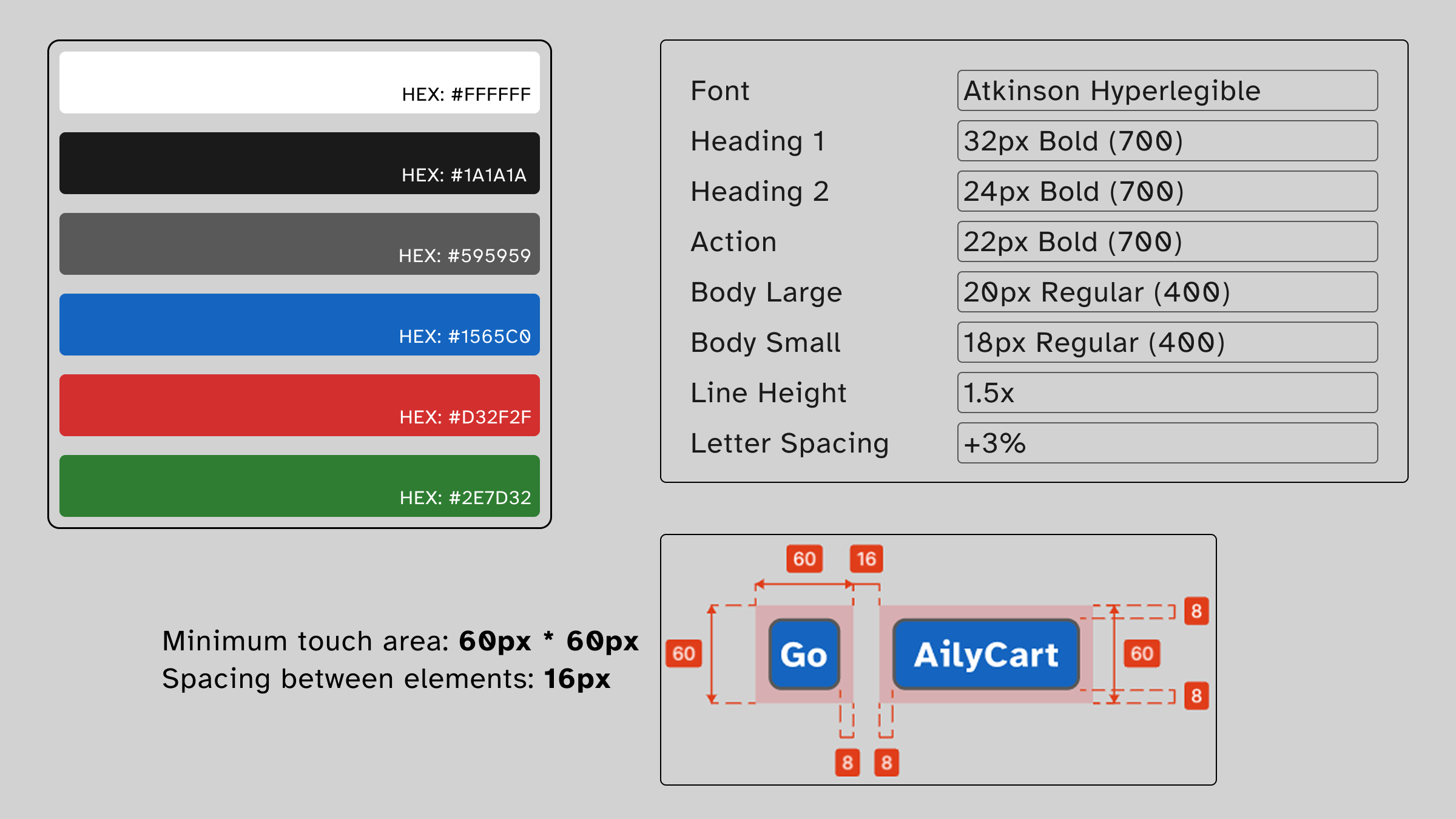
I abandoned the low-contrast “modern minimalist” color scheme and opted for a high-contrast brand logo. This ensures that key colors—such as the red representing “low stock”—remain vibrant and clear to the user.
To accommodate users with shaky hands, I redesigned the standard movement buttons. The minimum touch target size for each major operation is 60 x 60px. I utilized Fitts’ Law to place frequently used buttons in the “thumb zone” at the bottom of the screen, reducing the need for frequent hand movements and preventing accidental drops
I selected Atkinson Hyperlegible as the primary typeface. Unlike standard sans-serif fonts, it was specifically engineered by the Braille Institute to increase character recognition. This is critical for seniors because it breaks the “homoglyph” problem; for example, it clearly distinguishes between a capital ‘I’, a lowercase ‘l’, and the number ‘1’. By setting a baseline body size of 20pt and disabling italics, I ensured that high-contrast inventory lists remain legible even for users with significant astigmatism or central vision loss.
AI Usage Strategy for Building a “Digital Brain”
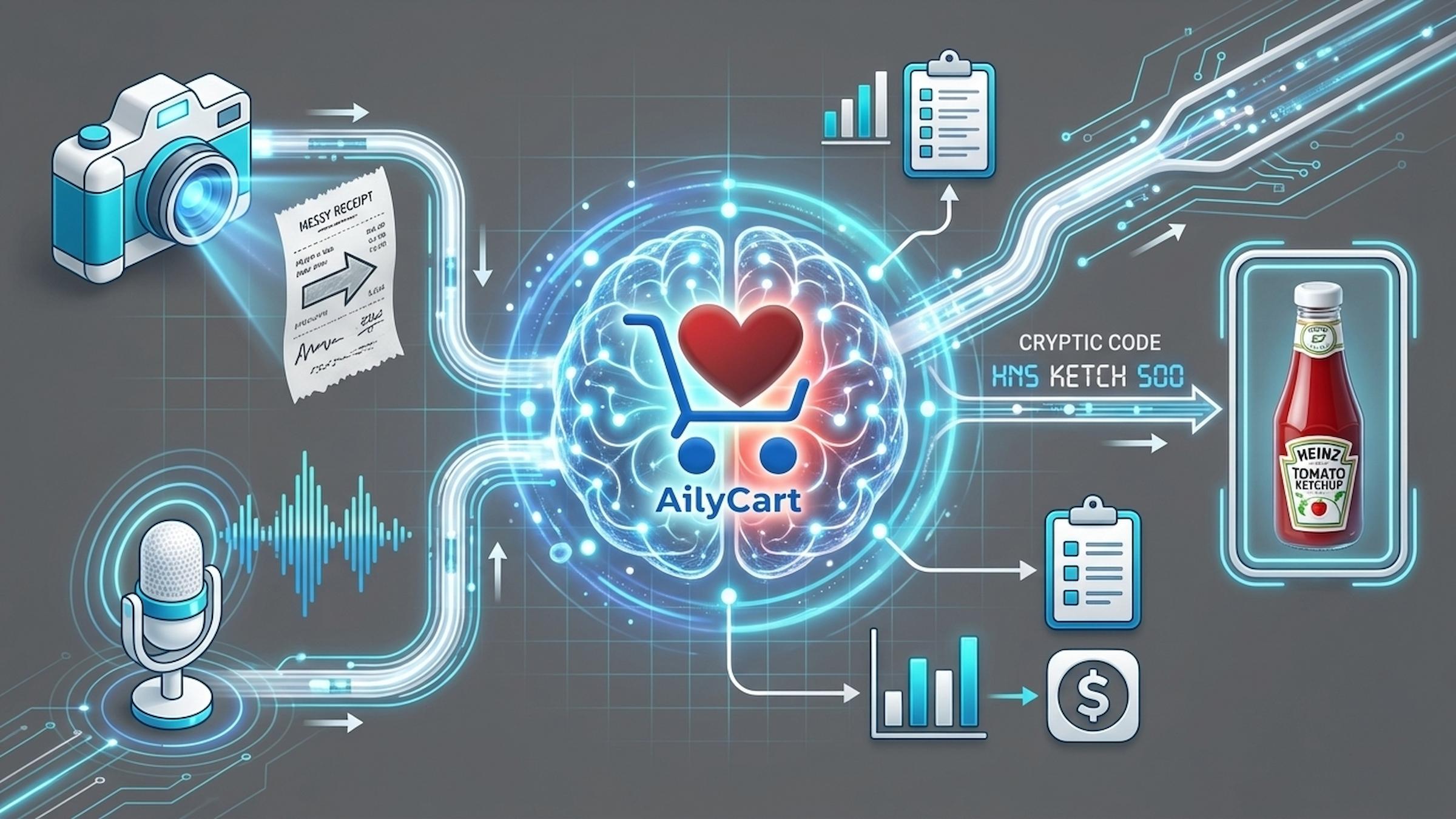
At the core of AilyCart is not just a UI, but a multi-stage AI pipeline. Instead of simply calling APIs, I generated a structured data process layer to ensure all AI-generated content is validated against a consistent schema.
I configured specific system prompts for GPT-4o-mini Vision to handle “noisy” receipt data. Instead of performing a generic scan, I forced the model to output strictly typed JSON schemas.
For voice commands, I used Groq for speech-to-text conversion. A particular challenge arose when users made long pauses while speaking. I ensured the application didn’t abruptly cut off the speech during the user’s conversation by adjusting the recorder’s mute threshold (3000 milliseconds).
I ensured the database remained clean and supported natural speech search by building a standard item database and a “fuzzy matching” layer using fuzzy algorithms.
Development and Deployment
Regarding development, I initialized the frontend using Expo Go with a managed workflow, which allowed me to iterate on the React Native UI and test native hardware features—like the camera and haptics—directly on physical iOS and Android devices. For the backend, I developed a FastAPI server within a virtualized Python environment, utilizing Uvicorn for local asynchronous processing before deploying to a production-ready Node.js host. Additionally, I integrated Supabase as the primary backend-as-a-service (BaaS). I configured the PostgreSQL database with specific Row-Level Security (RLS) policies to ensure that user inventory data remained private and secure. Meanwhile, I maintained a rigorous versioning strategy using Github.
For deployment, I managed it through a structured Git-based CI/CD pipeline. I hosted the FastAPI service on Render, utilizing environment variables to securely manage OpenAI API Keys and database credentials. For the frontend, I utilized Expo Application Services (EAS) to generate internal distribution builds. This allowed me to bypass the lengthy App Store review process during the testing phase while still delivering a “production-feel” binary for my internal testing.